

CI/CD pipeline integration
In order to integrate Octomind into your CI/CD pipeline, you will need a GitHub Action and a GitHub App.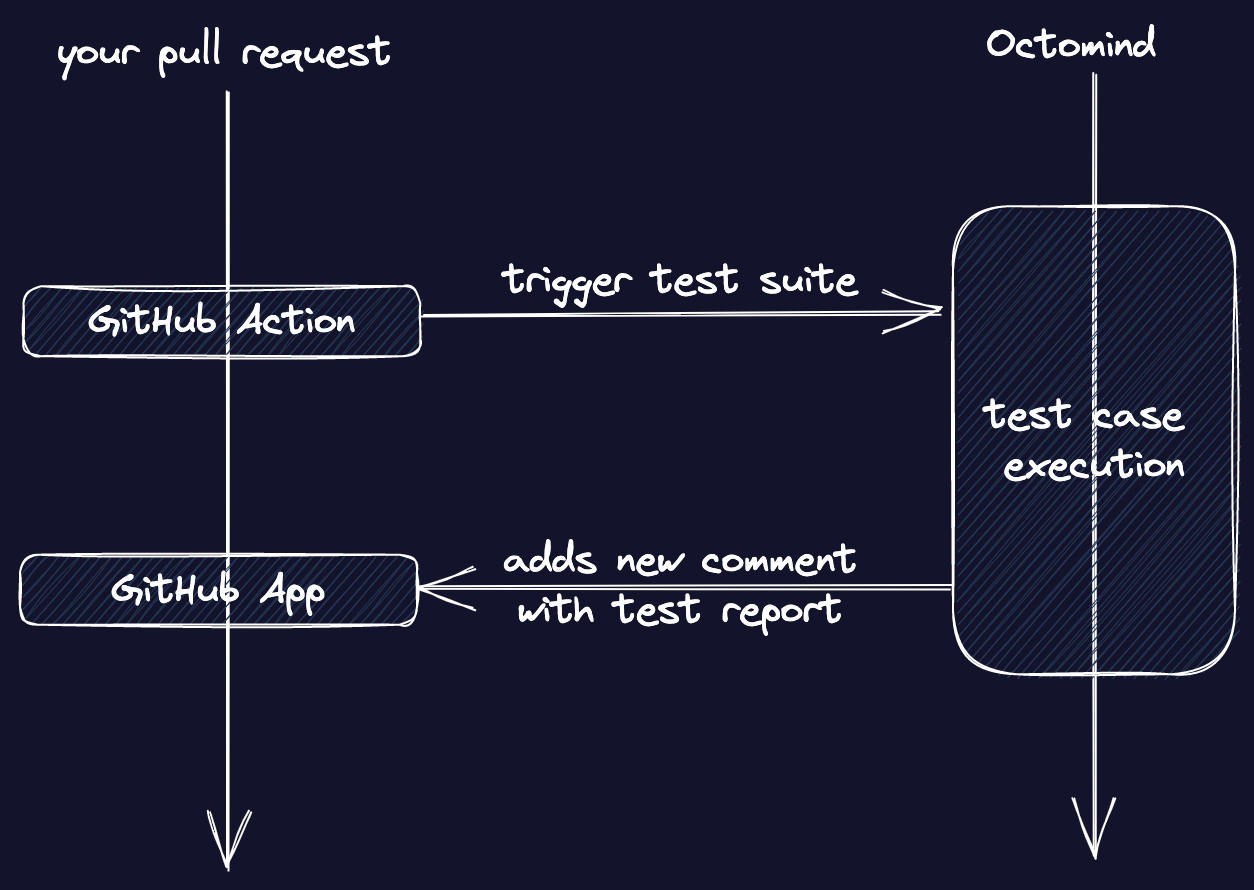
Octomind GitHub Flow
1. Create an API key
The option to create your API key can be found within the settings menu.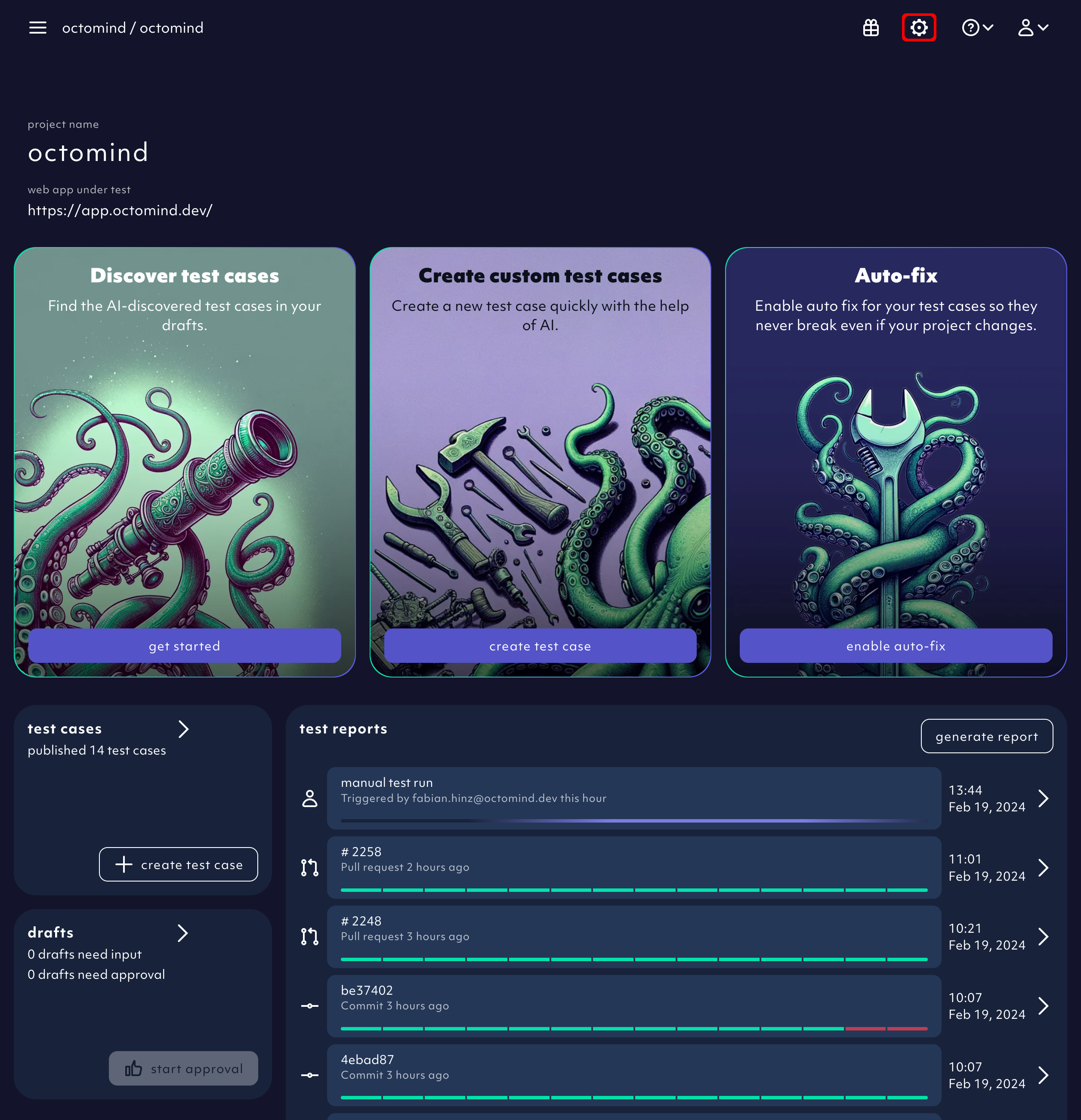
Settings menu button
Create an API key.
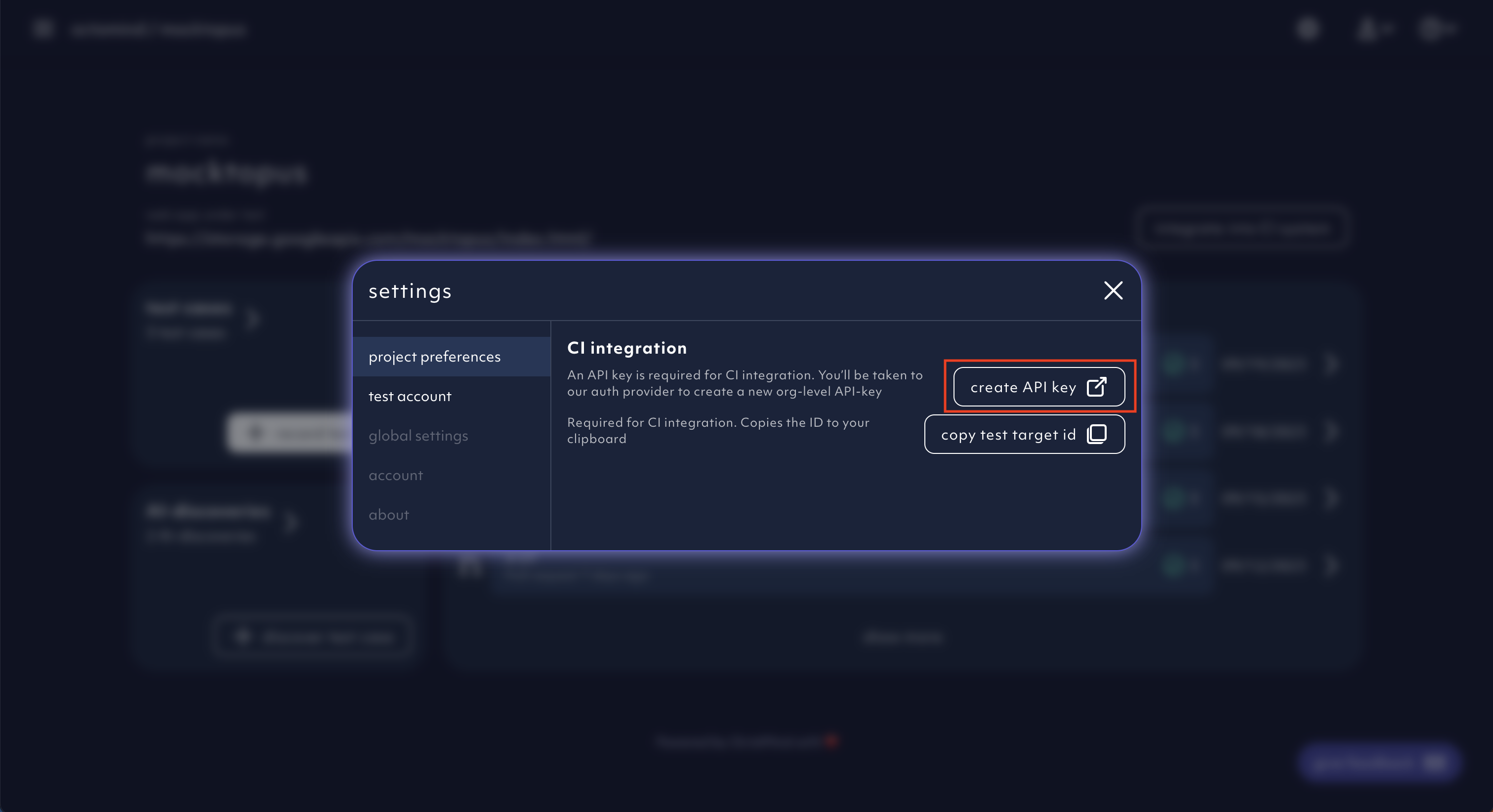
Create an API key button
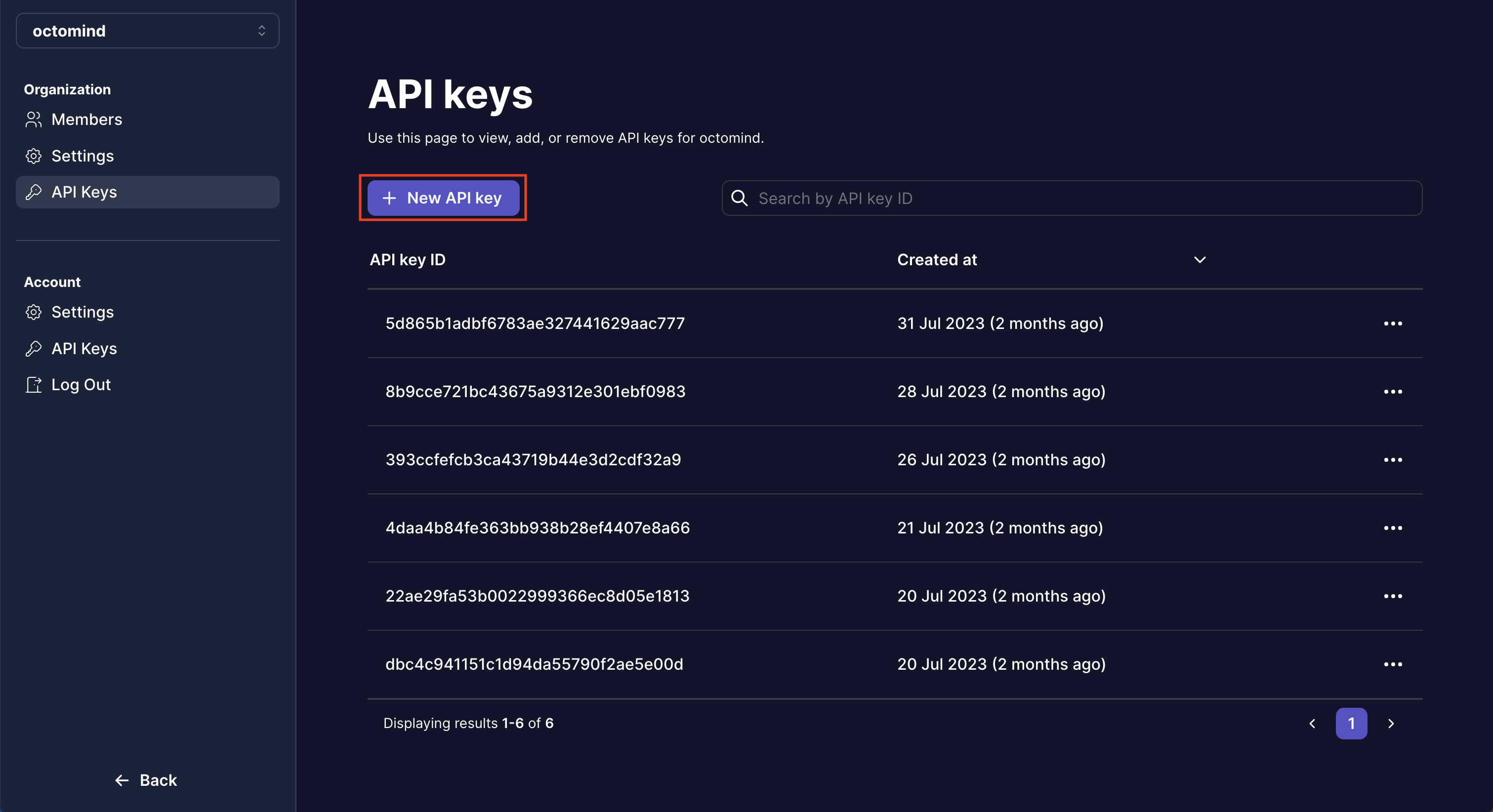
Create an API key
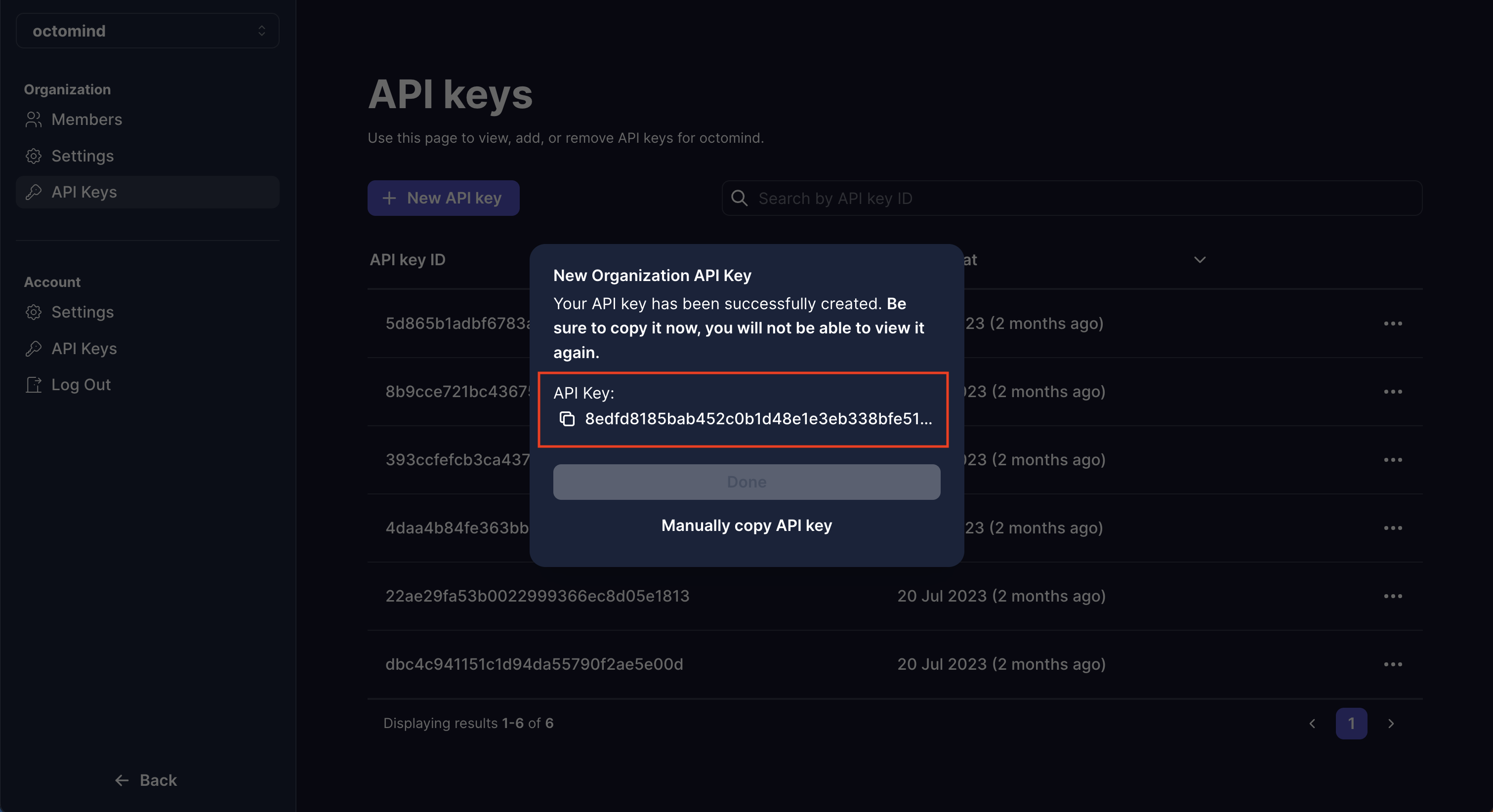
Copy the API key
2. Copy your test target Id
The option to copy your test target ID can be found within the settings menu.Settings menu button
copy test target id.
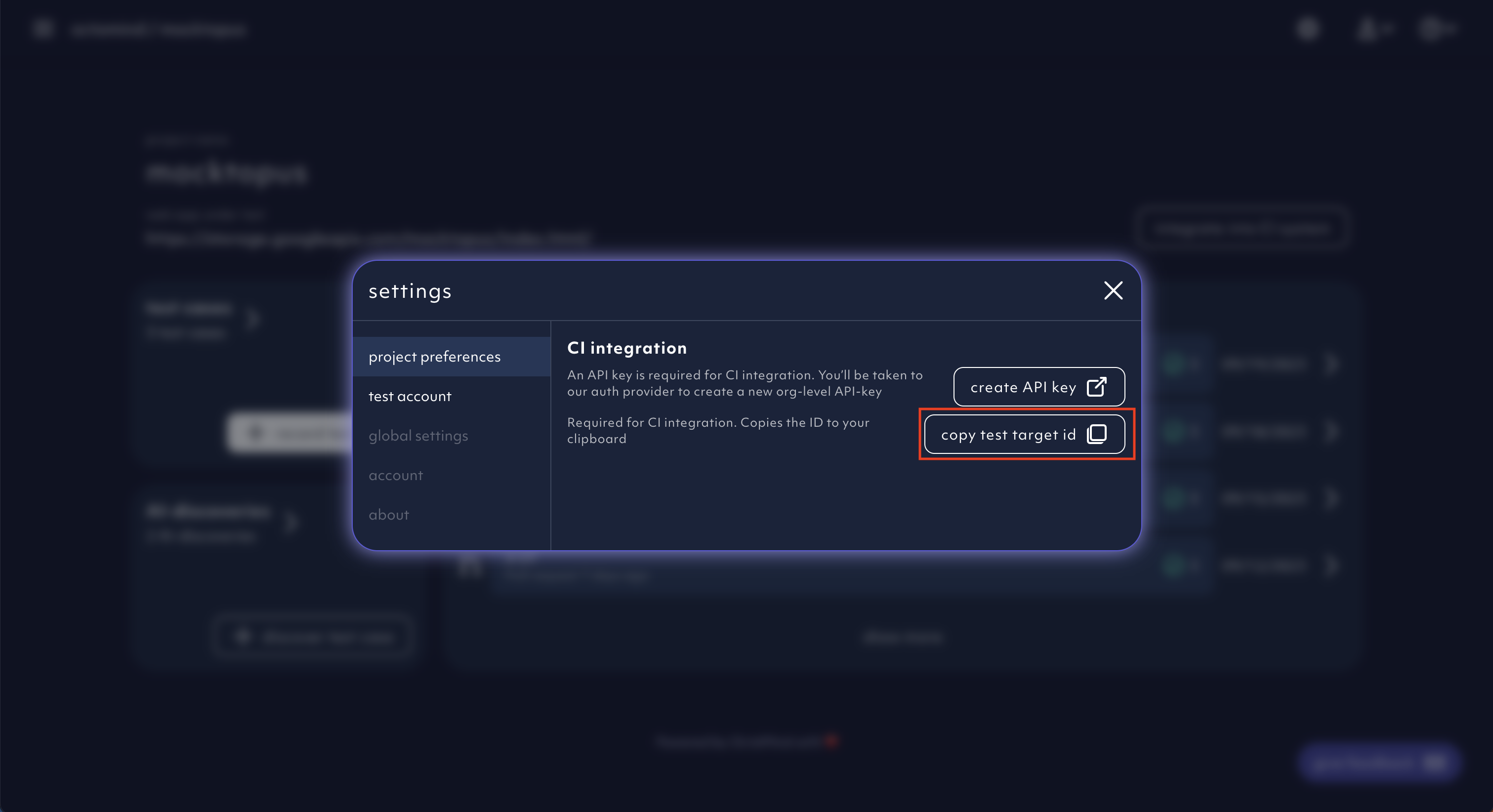
Copy test target ID
3. Install GitHub App
Install ourGitHub App. We will be commenting back the test results via the app.
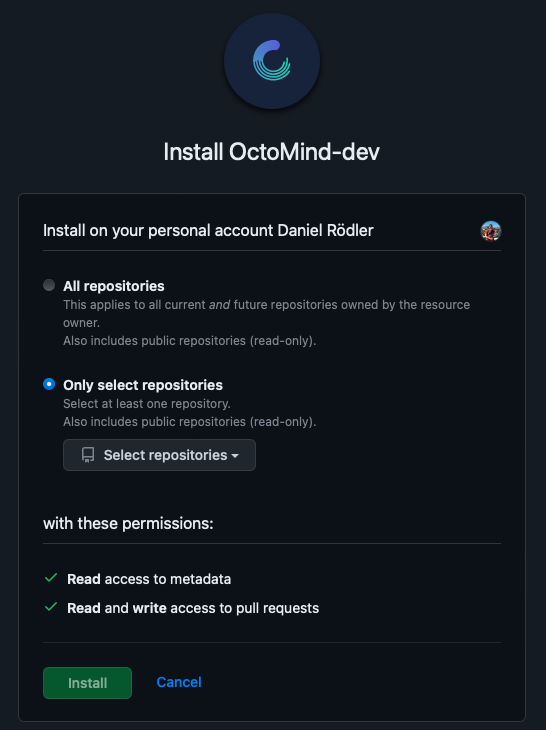
Octomind GitHub App install, screenshot 07/2023
4. Allow GitHub Comments
We’ll ask you to grant access to your repository to read metadata & read and write access to pull requests so we are allowed to comment back into pull requests. It will list the test results with additional links to more details, looking like this ↓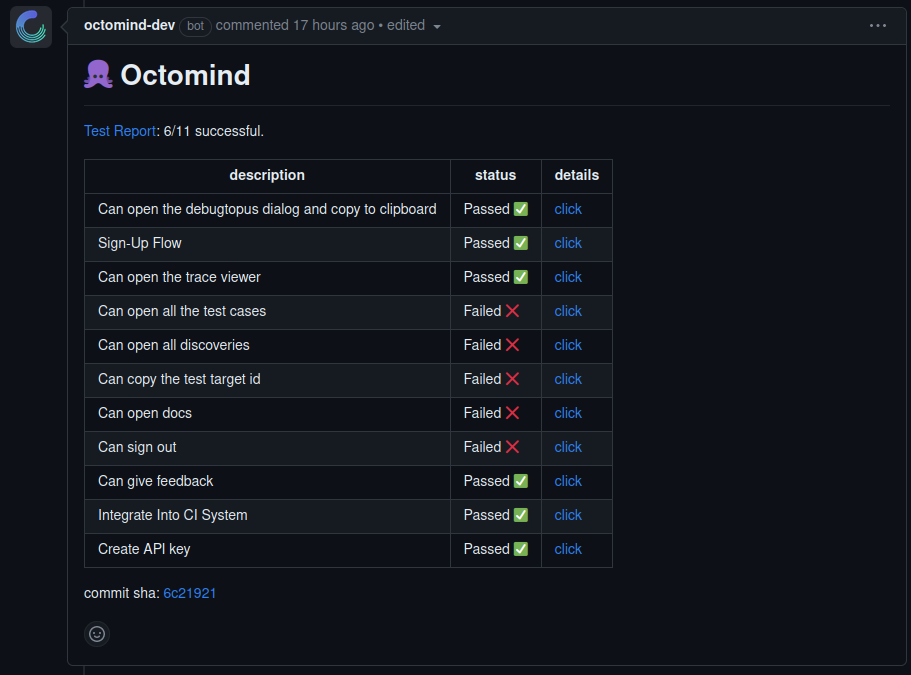
Example of Octomind test results in a pull request comment, screenshot 06/2023
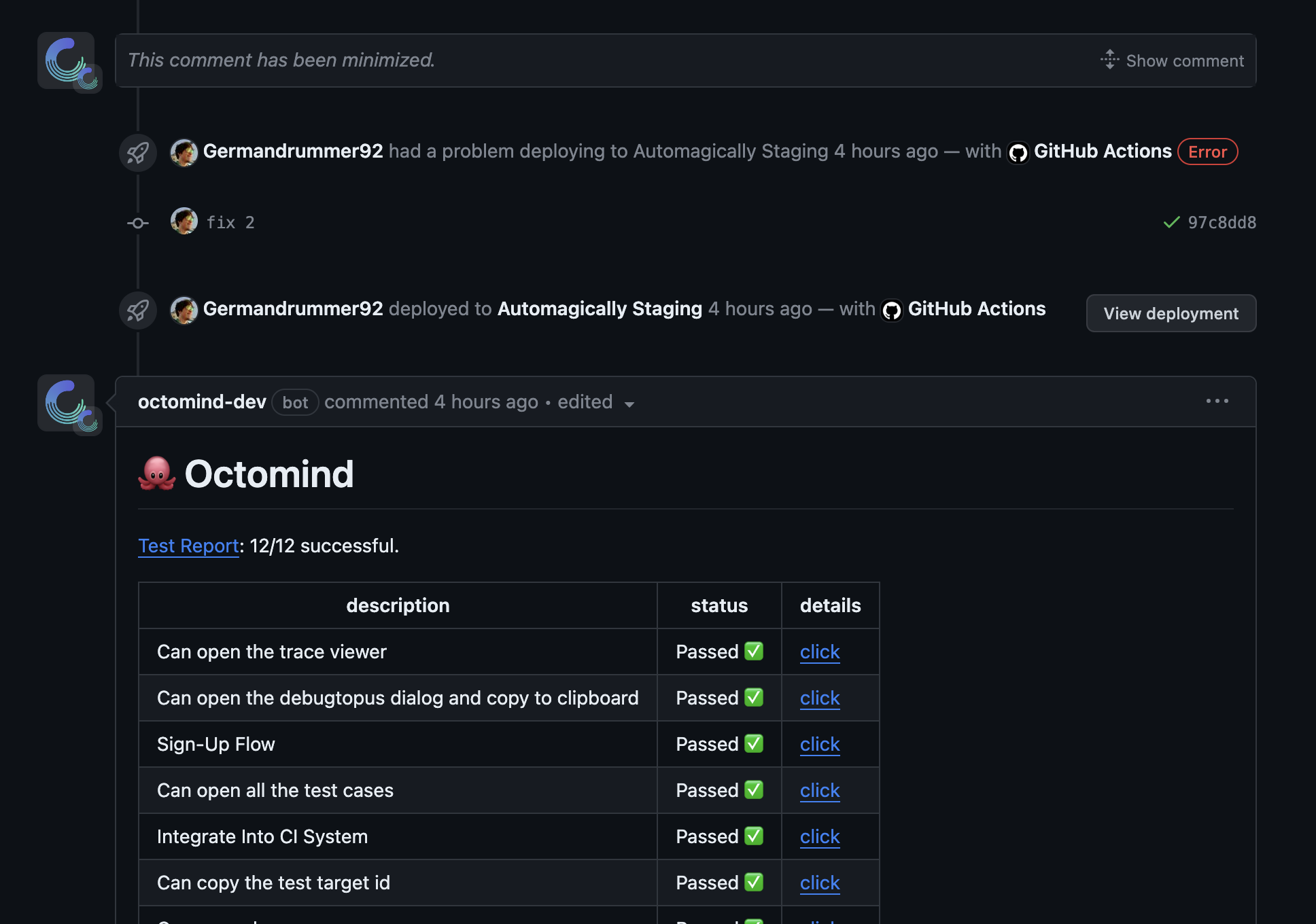
Previous comments in PR are collapsed, screenshot 11/2023
We won’t be able to see your code.
5. Include the GitHub Action
Include the followingGitHub Action into your CI/CD build pipeline on pull request.