

2024-04-15
scheduling test reports: We are now enabling you run your test reports on a fixed schedule (daily/ weekly/ bi-weekly). There’s even email notifications now for when your scheduled run failed so you never miss abeatbug.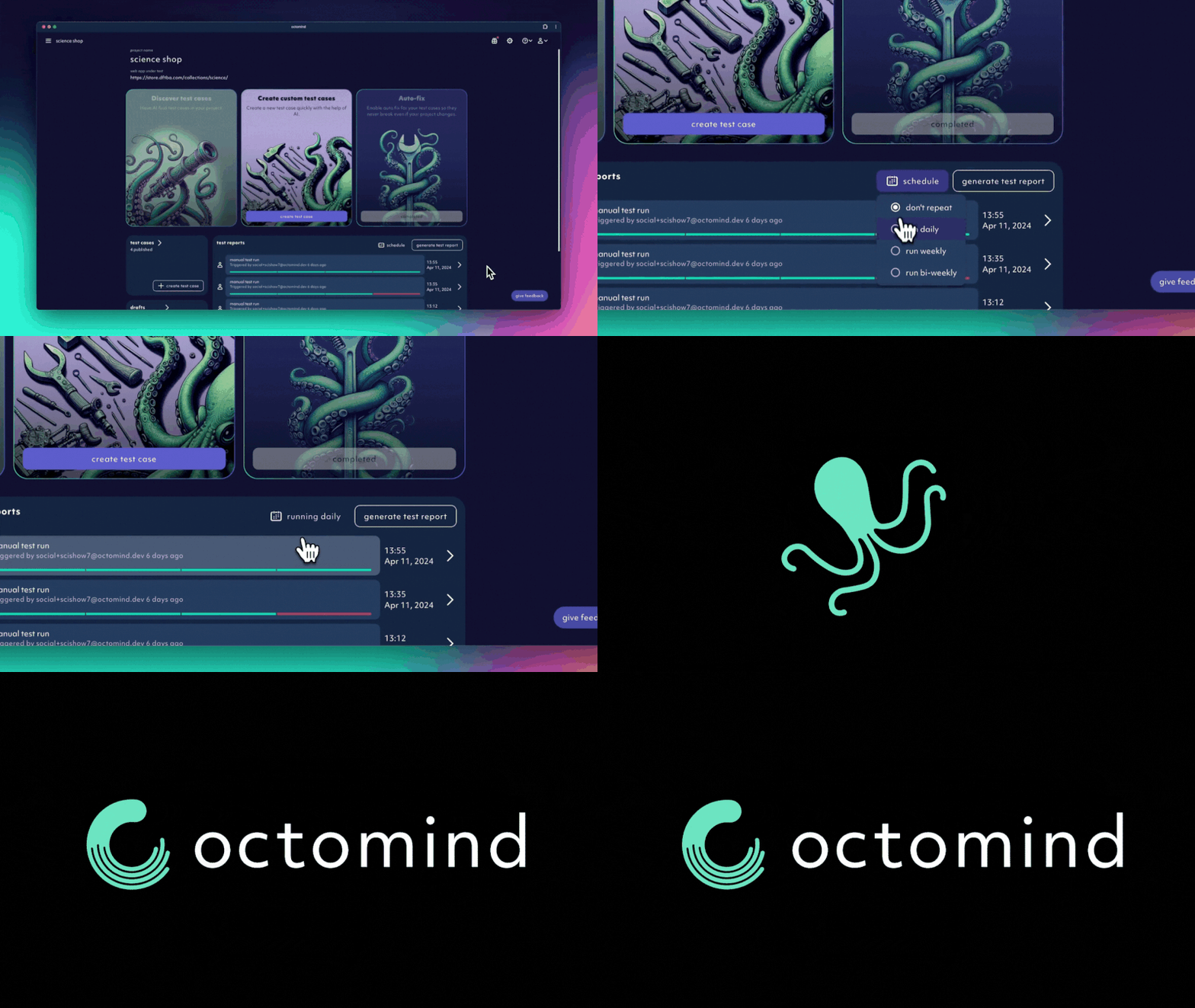
screen recording 04/2024
2024-04-08
-
snapshots for picking locators: Not familiar with selectors and DOM elements? We got you covered! Test case steps now allow you to select elements in your page visually, both for interacting with them and asserting that they are there.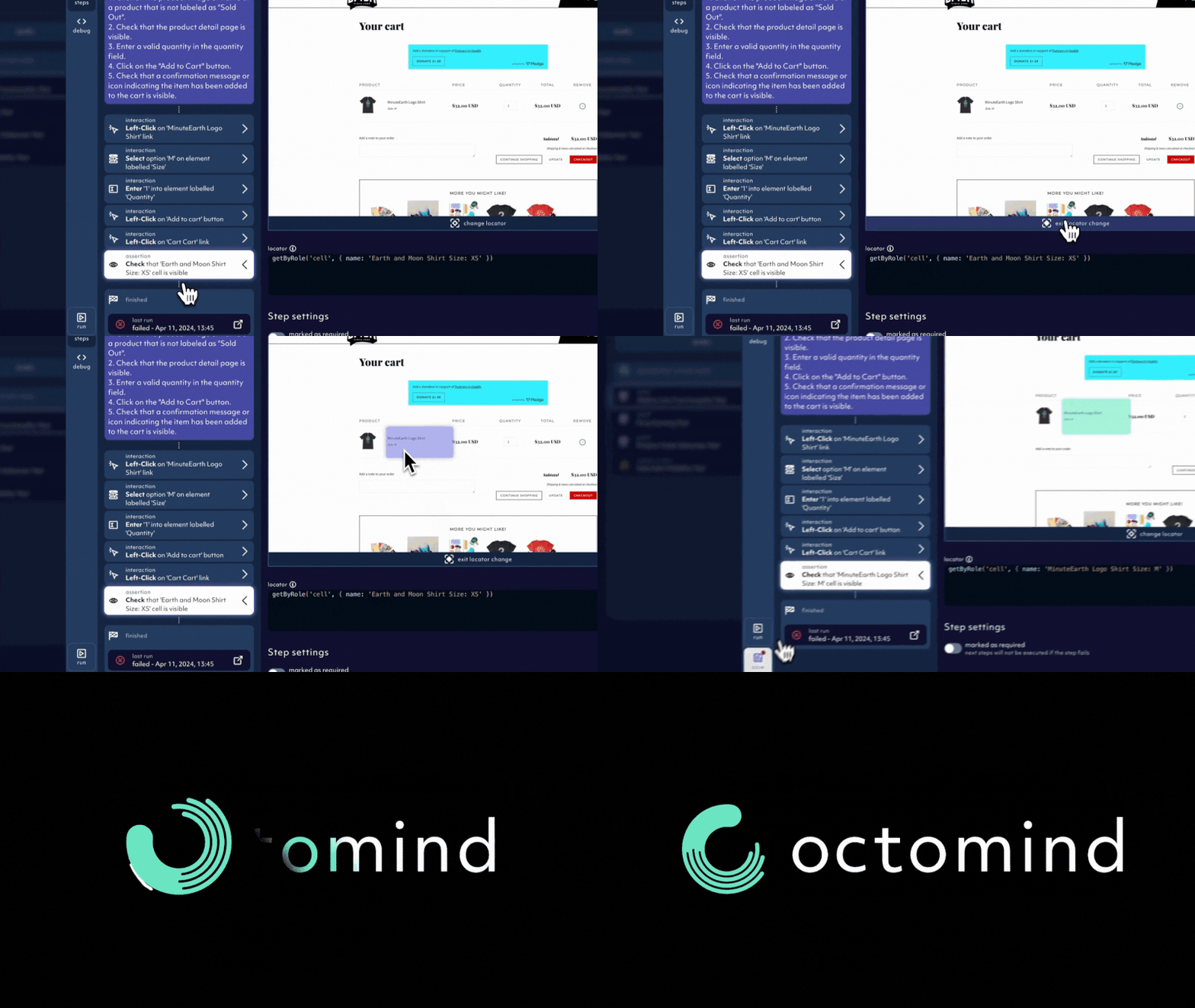
screen recording 04/2024
-
reworked publish workflow: whenever you save a draft of a test case, you get the option to publish it to include it in future test report runs
2024-04-02
expandable step editing: the panel for editing test case steps now expands and gives you more space to make changes to your test cases
2024-02-23
improved stability: made sure our app is running smoothly without hick-ups even with multiple test report running in parallel. Now our agent and test execution are serverless.discover test cases: our AI Agent will analyse your webpage and suggest multiple prompts
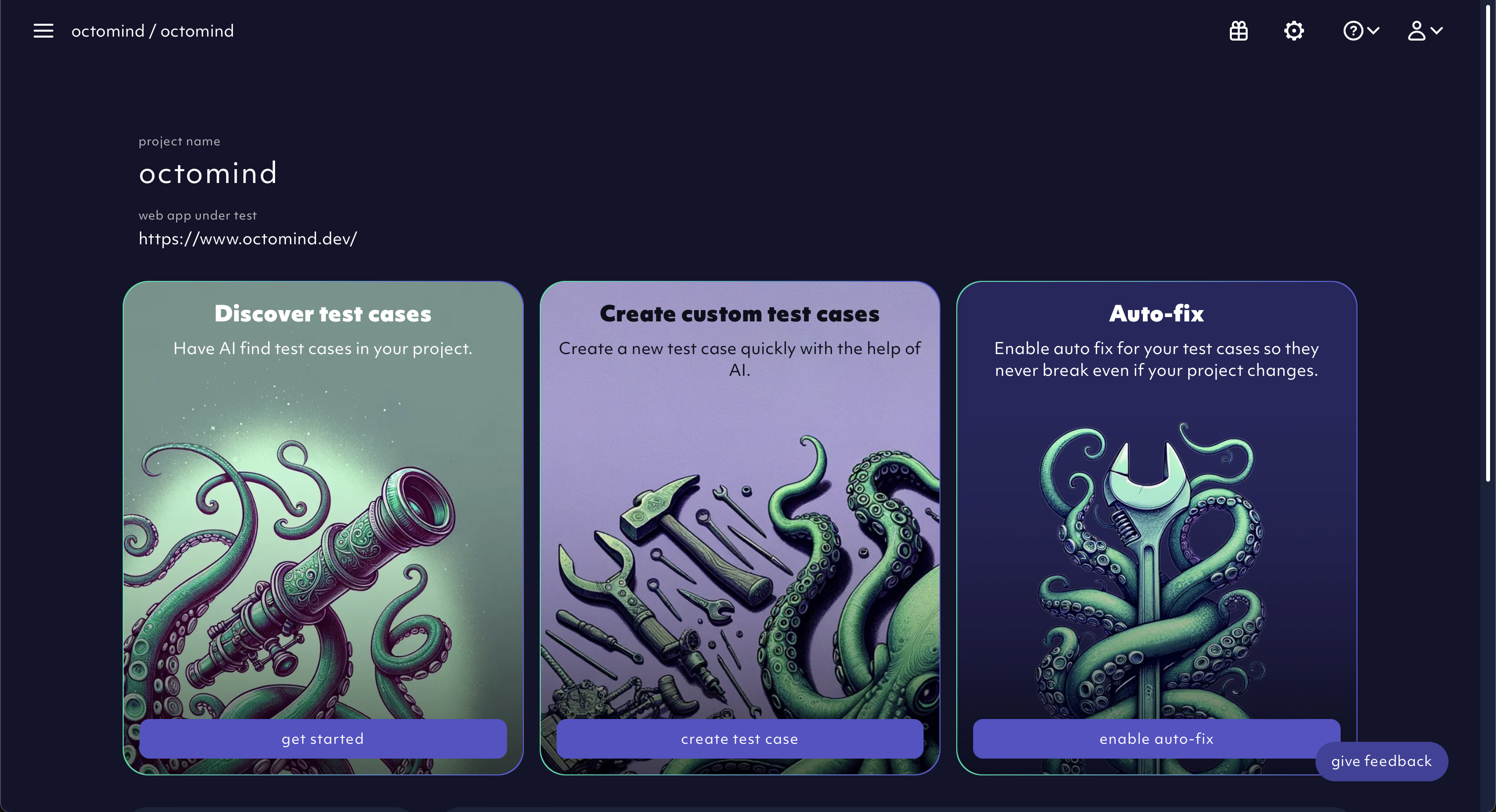
screenshot 02/2024
approval workflow: once our AI Agent has finished the discovery, you have an option to approve or discard the provided suggestions. Discarding will delete the draft, while approval will start our AI Agent with the corresponding prompt
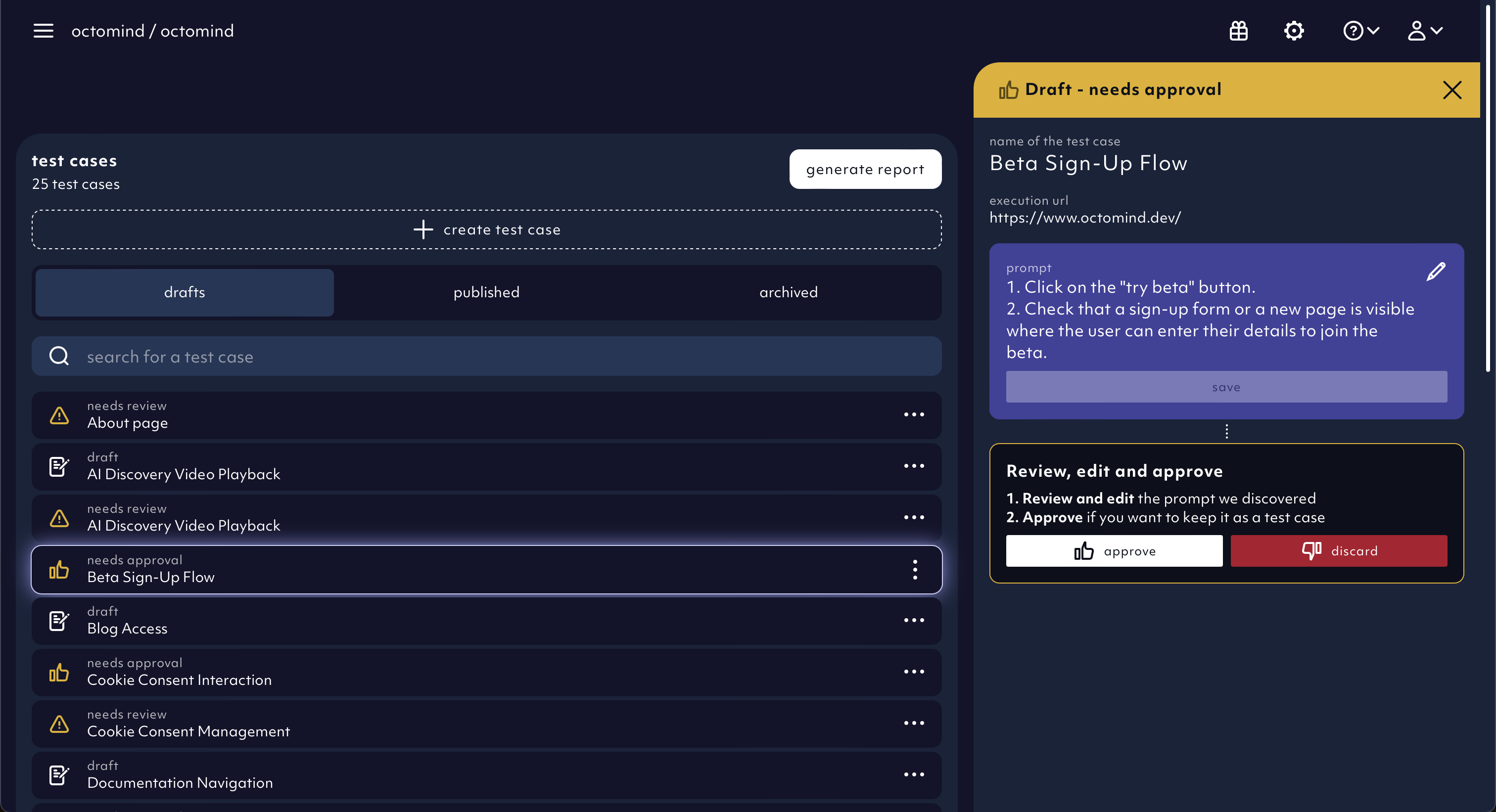
screenshot 02/2024
2024-02-15
test report generation speed up: we are now running published test cases within a report in parallelauto fix: you can now select which test cases our AI Agent should try to auto fix once they fail
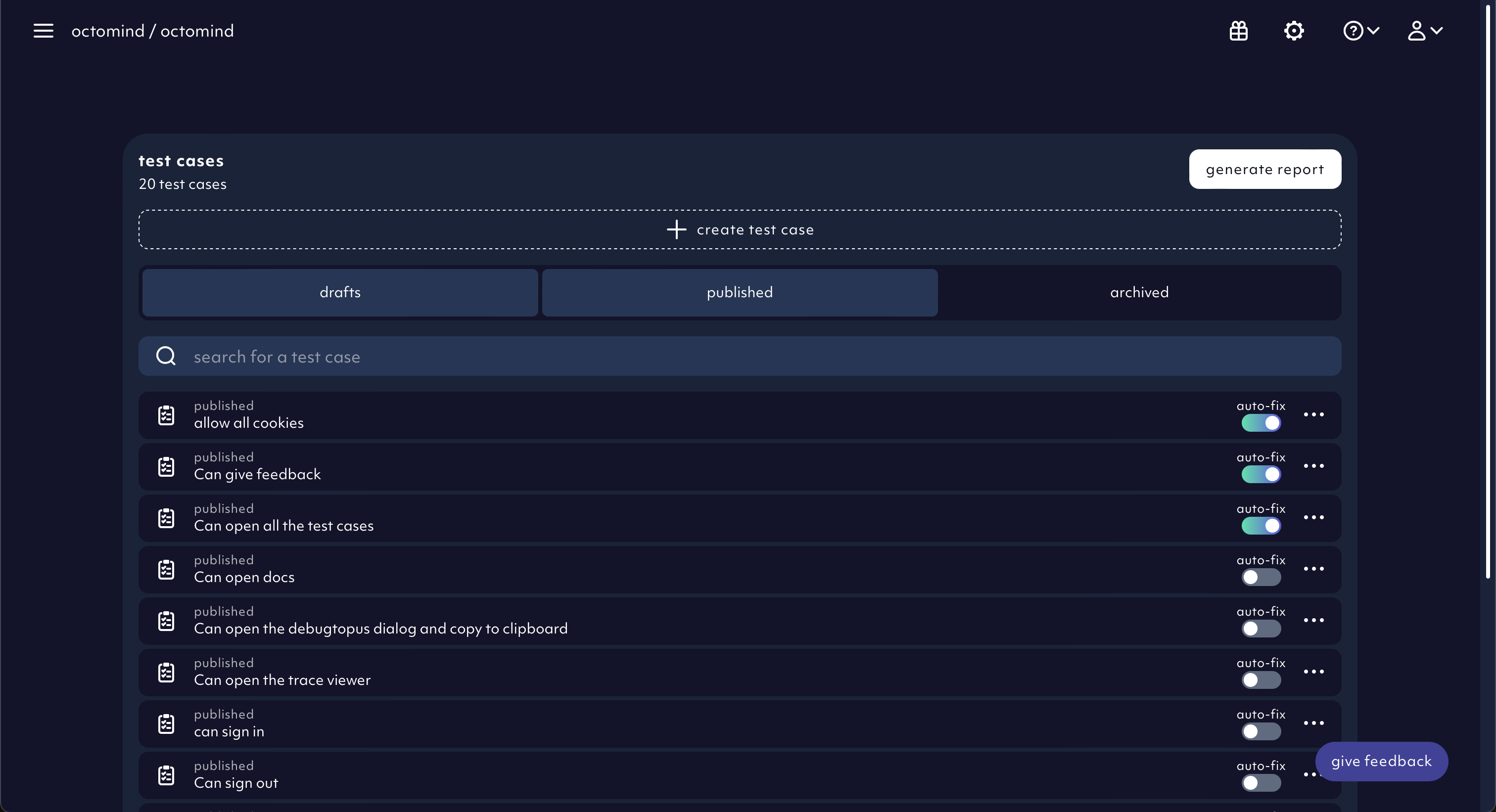
screenshot 02/2024
-
savebutton for test case draft overhaul: we replaced the save rail with multiple buttons that were hidden in a separate screen. Now we have 3 separate buttonssavebutton: to save changes maderunbutton: to run the selected test casepublishbutton
runbutton is also visible on published test cases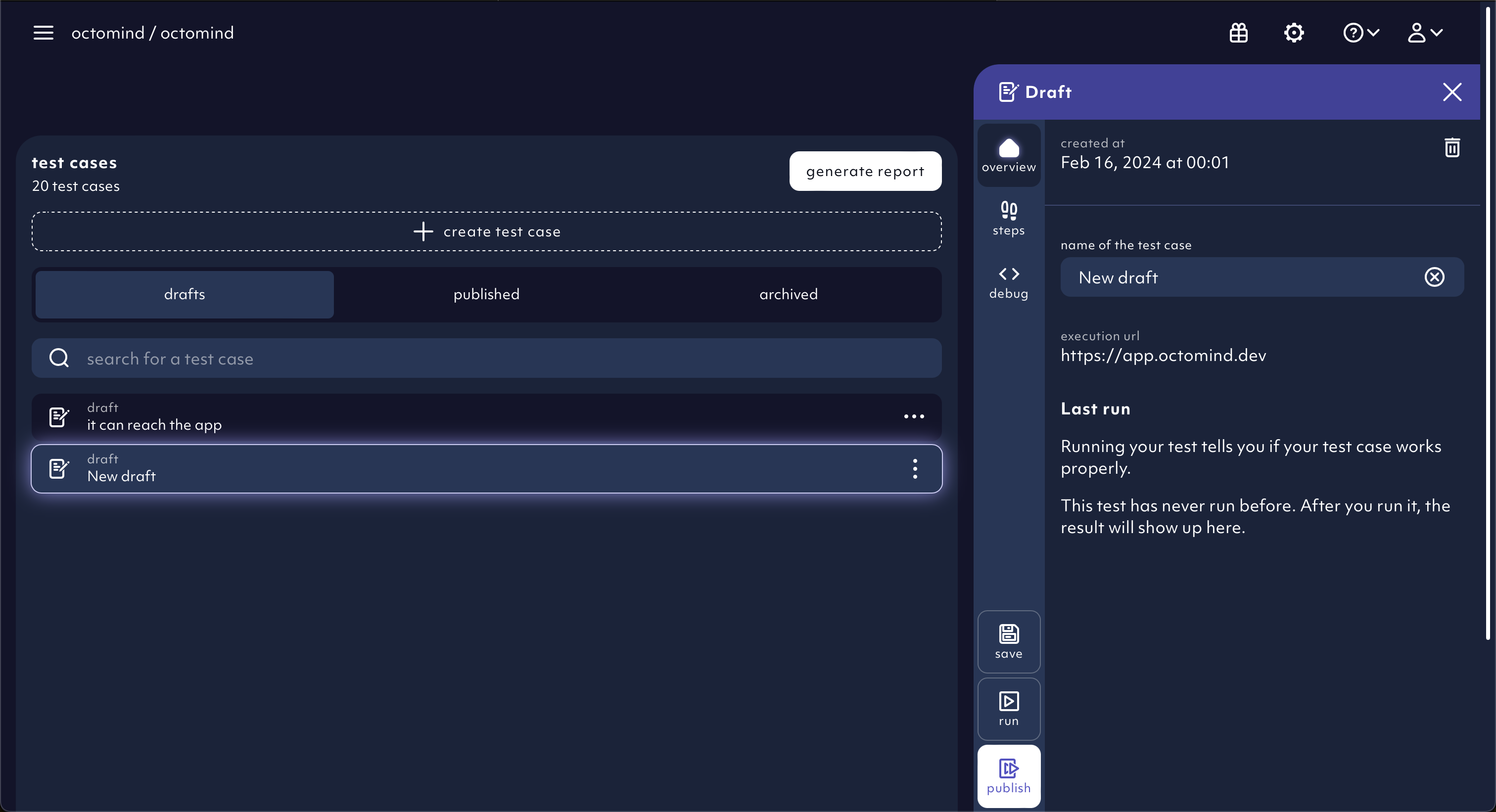
screenshot 02/2024
2024-02-01
Add a new project to your organizationadded for more flexibility of managing your account
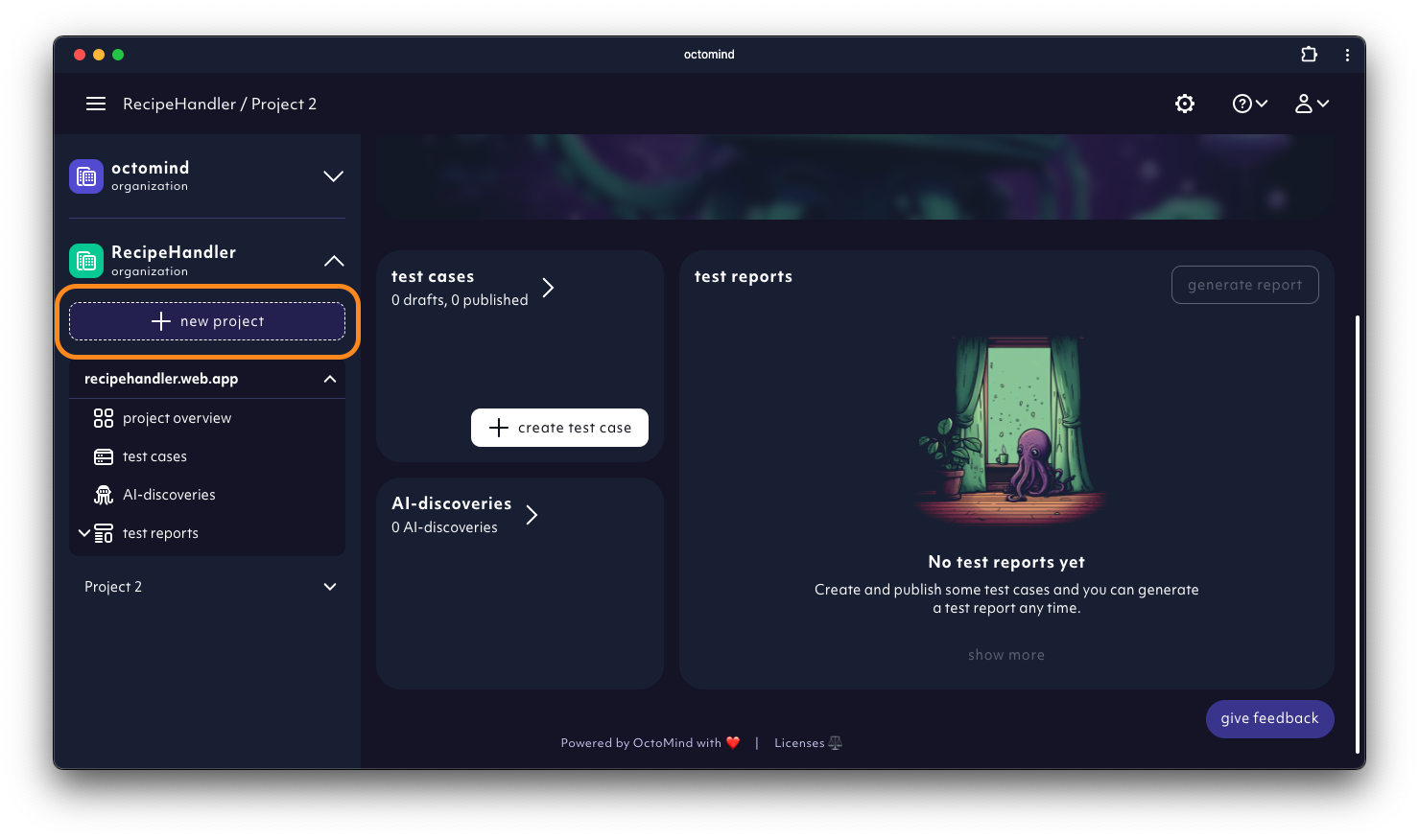
Create new project button, screenshot 02/2024
2024-01-26
Manual test creation: We have added a low-code option to generate new tests if AI generation struggles. With increasing performance, our AI agent will do more and more of the heavy lifting. In the meantime, you can easily create a specific test case with a few clicks & adding selectors.
2024-01-24
- Get rid off the test that doesn’t spark joy. You can hard delete drafts now.
2024-01-22
Onboarding: We want to give our users a smooth beginner experience. That is why we added an onboarding tour and helpful tooltips to make your journey of discovering all Octomind features a breeze.
2024-01-11
- We have streamlived cookie consent management throughout all our subdomains. A cookie consent banner displays when coming to our sites for the first time. Is it annoying? It is. Is it necessary? It is.
2024-01-08
Test draft validation: now, you can validate test draft before publishing telling you if the test works properly
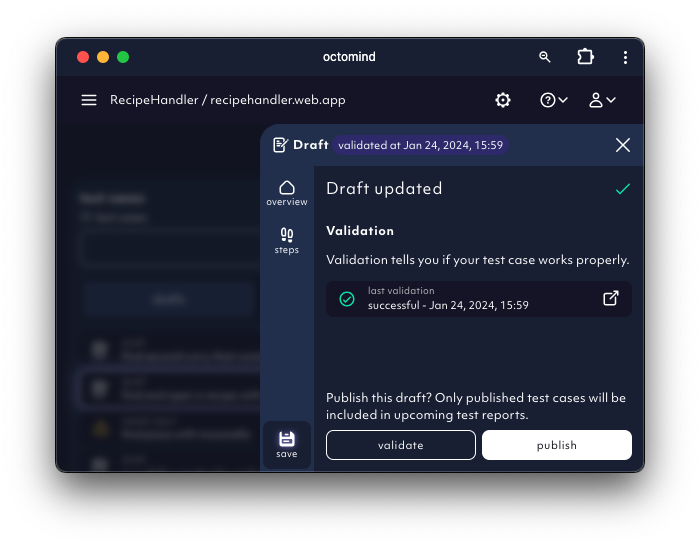
Validated test draft, screenshot 01/2024
2024-01-03
- You can add new steps to draft test cases now
Element highlighter: Element that was interacted with is highlighted by a purple dot in test step screenshots
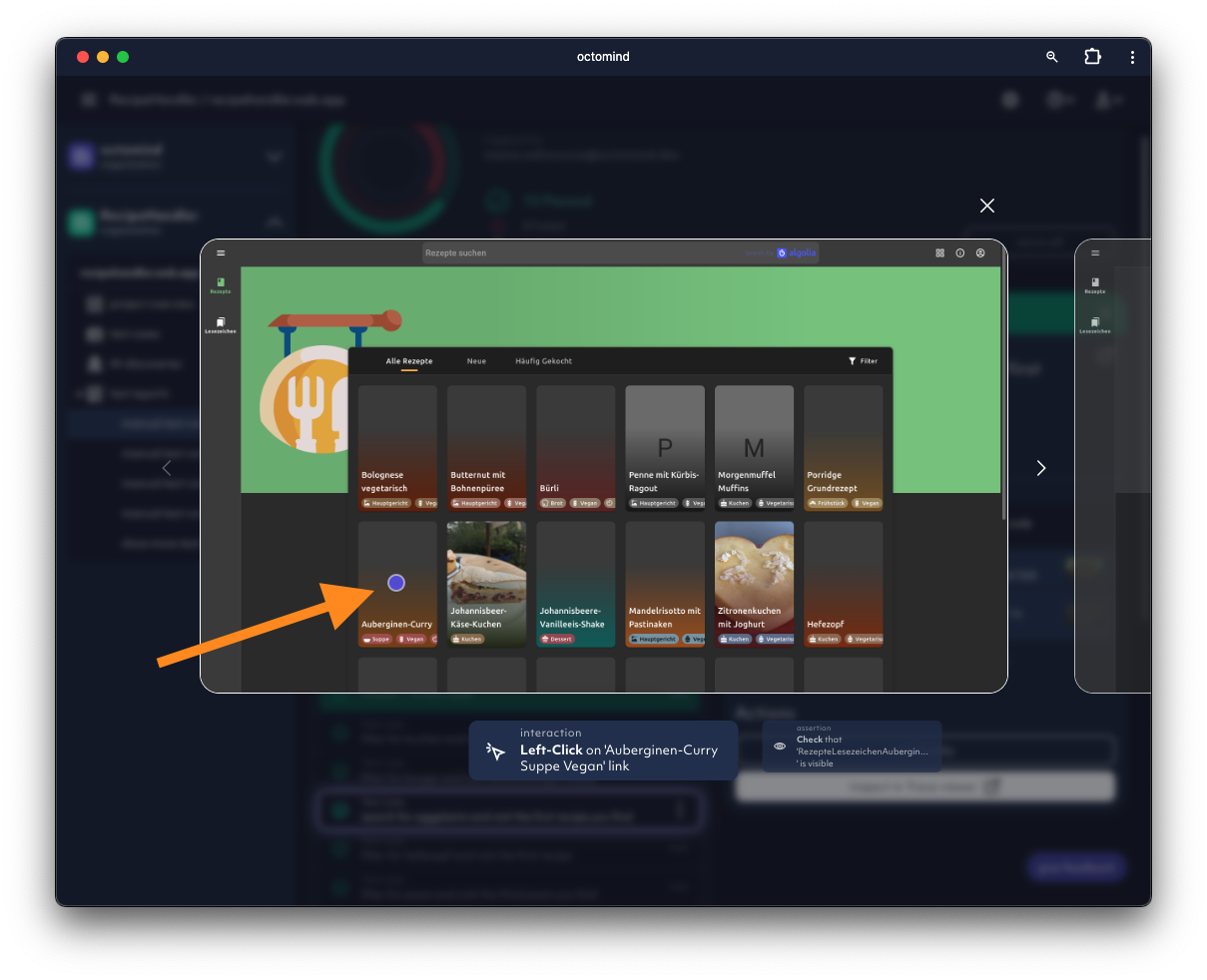
Element that was interacted with is highlighted by a purple dot, screenshot 01/2024
2023-12-18
- Fixed: Sometimes some of our test runs got stuck, we improved this and no stuck tests should occur anymore.
Selector editing: You can now edit Playwright selectors used to find the element in question for a step
2023-12-13
- Delete steps option in a test case draft added
- Idle
AI agent: our agent will let you know if it’s idle and waiting for more input
2023-12-11
- You can edit test cases, now. Mark steps as optional, so their failure is ignored. Adjust text parameters for steps entering text or selecting a menu item. You can create test case drafts and publish them.
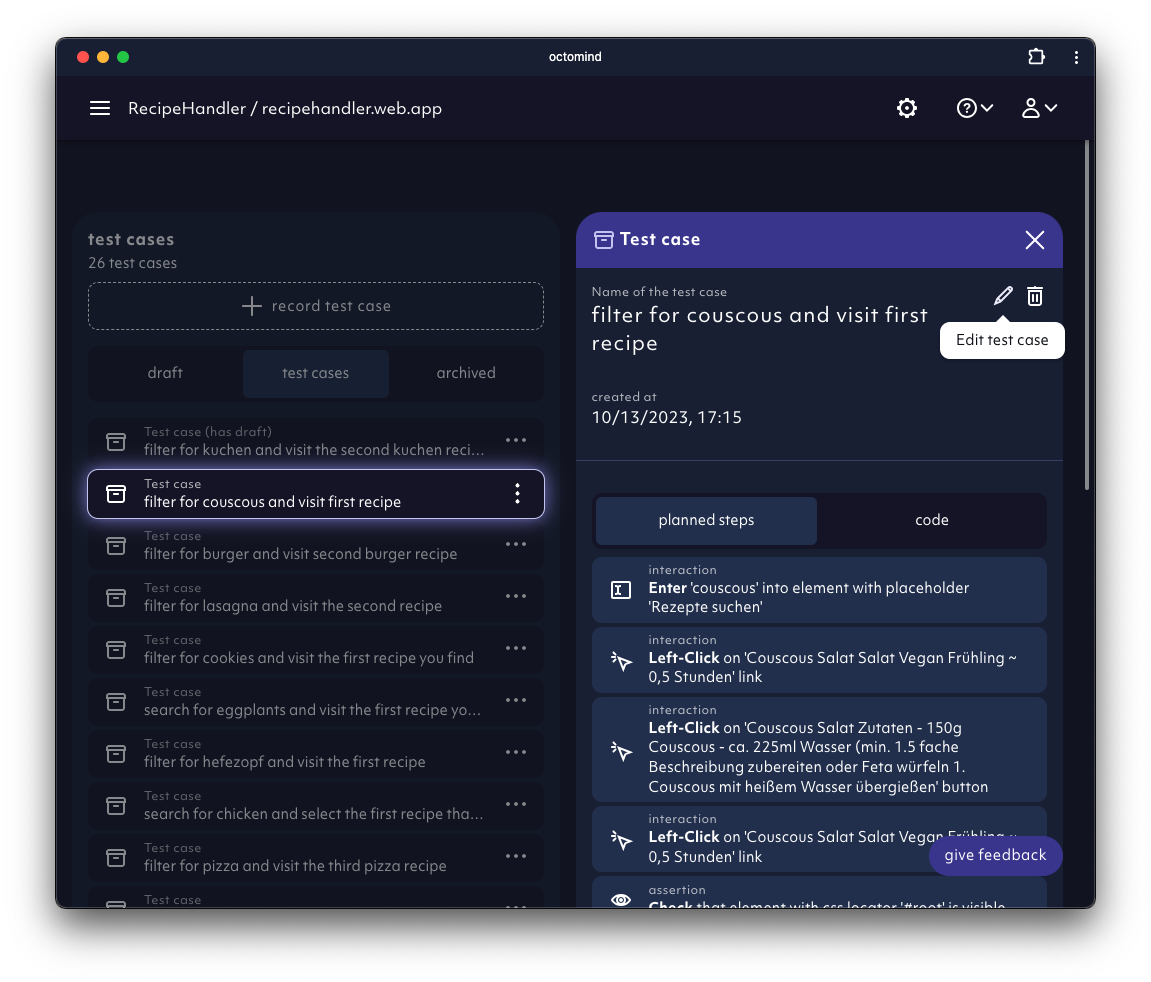
Test cases can be created as drafts and edited, screenshot 12/2023
2023-11-30
- We’ve added better desciptions to test steps our
AI agentgenerated AI agentinforms users about test case discoveries in progress
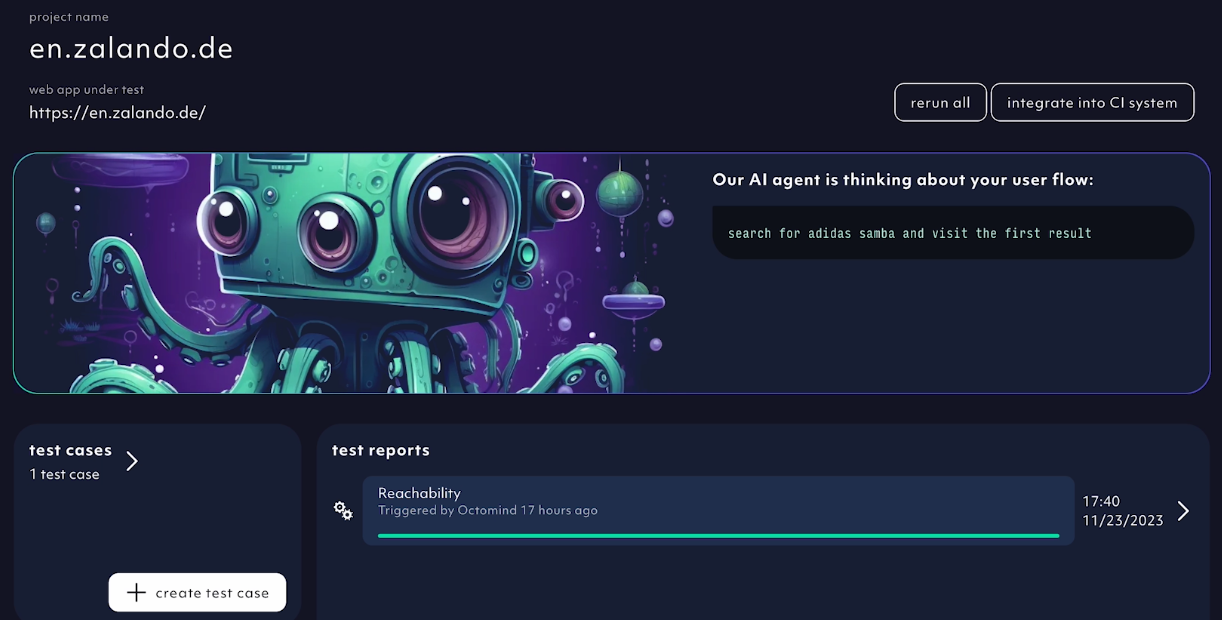
AI agent informs about its progress, screenshot 11/2023
2023-11-27
What's newmodal notification after log-in added
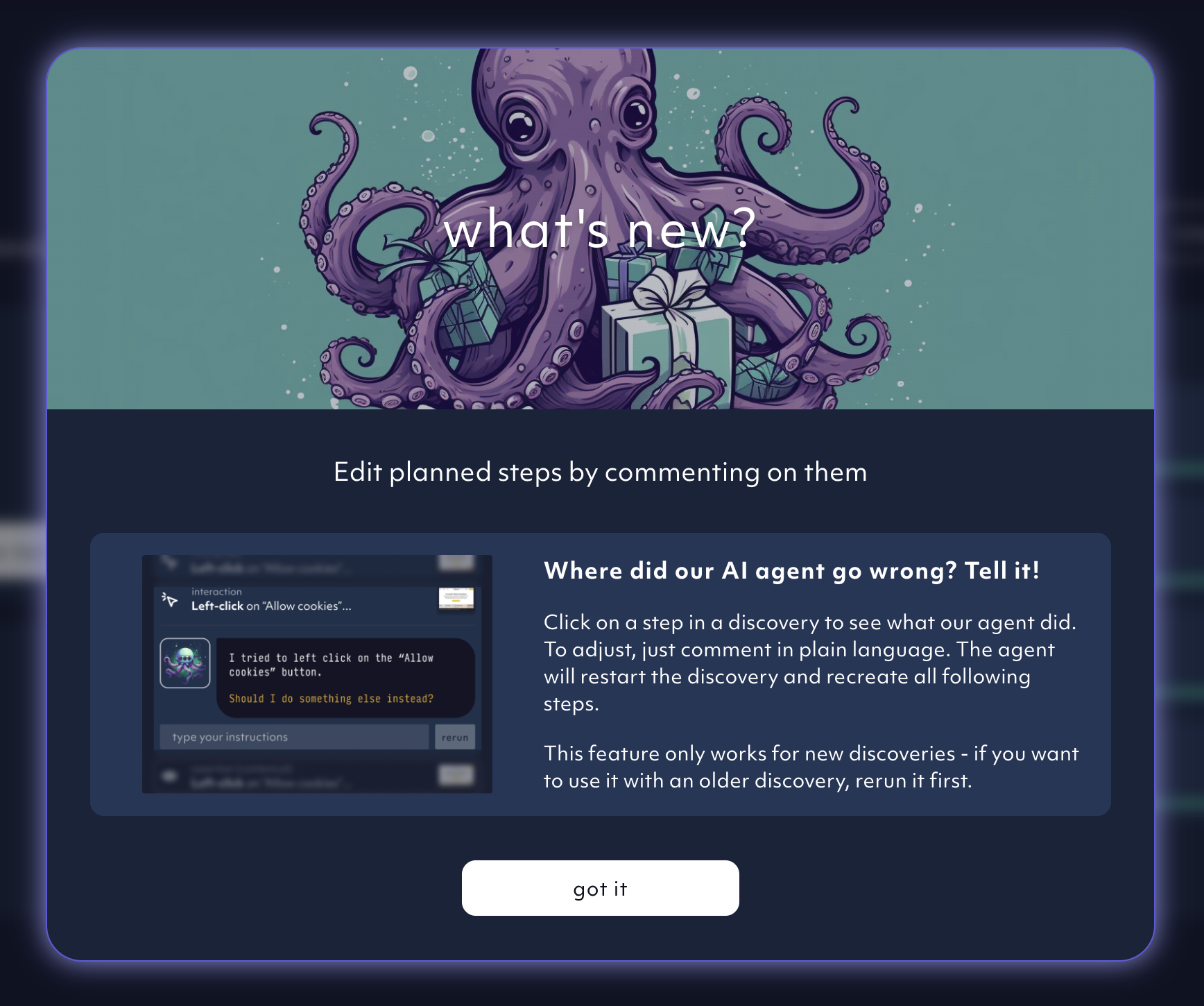
New features modal after log-in, screenshot 11/2023
2023-11-14
Debugtopus dialog: The execution url is pre-filled by default, no need to copy pasteTest hosting: Run all test cases from the tool OR your terminal- Human feedback added to the
AI agentby relaunching the test case discovery based on user comments
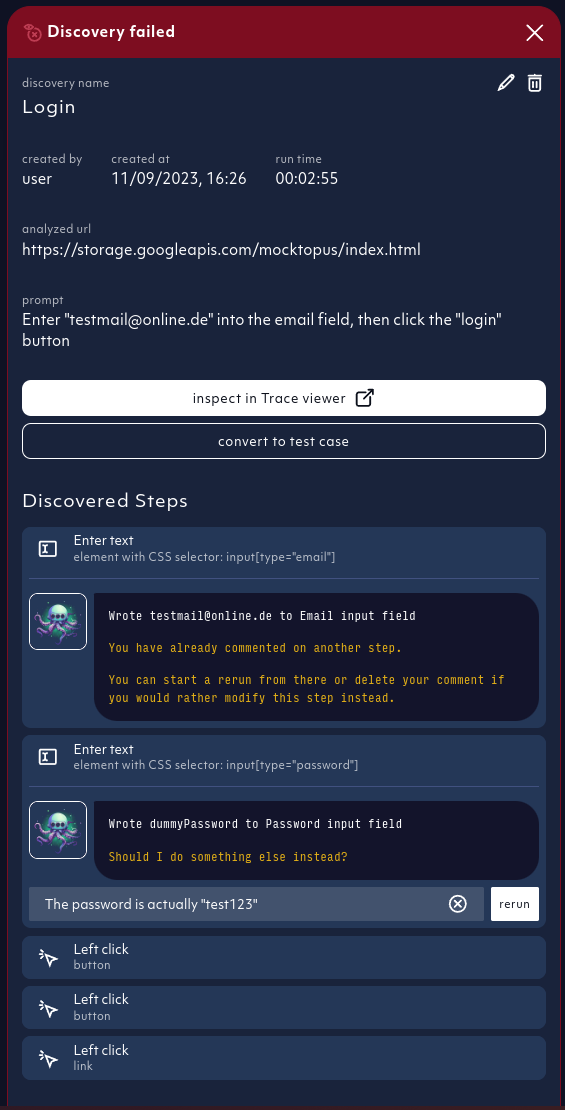
Relaunch AI discovery based on your comments, screenshot 11/2023
2023-11-09
In-context screenshotsof executed steps visibile directly in test report details- Screenshot carousel added to review executed test steps, screenshot by screenshot
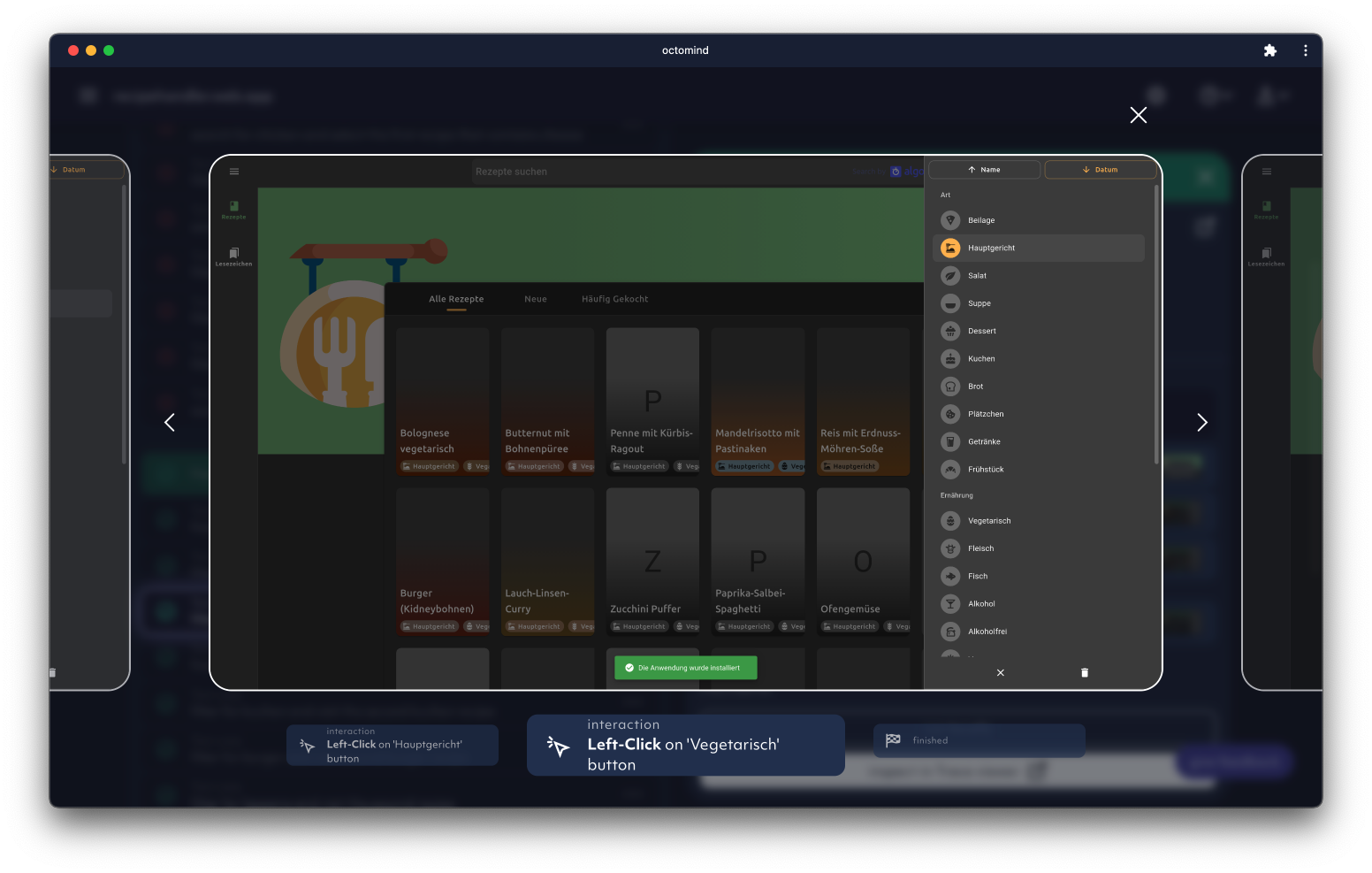
In-app screenshot carousel in test report detail, screenshot 11/2023
2023-11-07
- AI discovery improved:
AI agentsees all elements on the page to generate better assertions
2023-10-31
CI integrations: Previous comments with test results are collapsed by default, click to expand
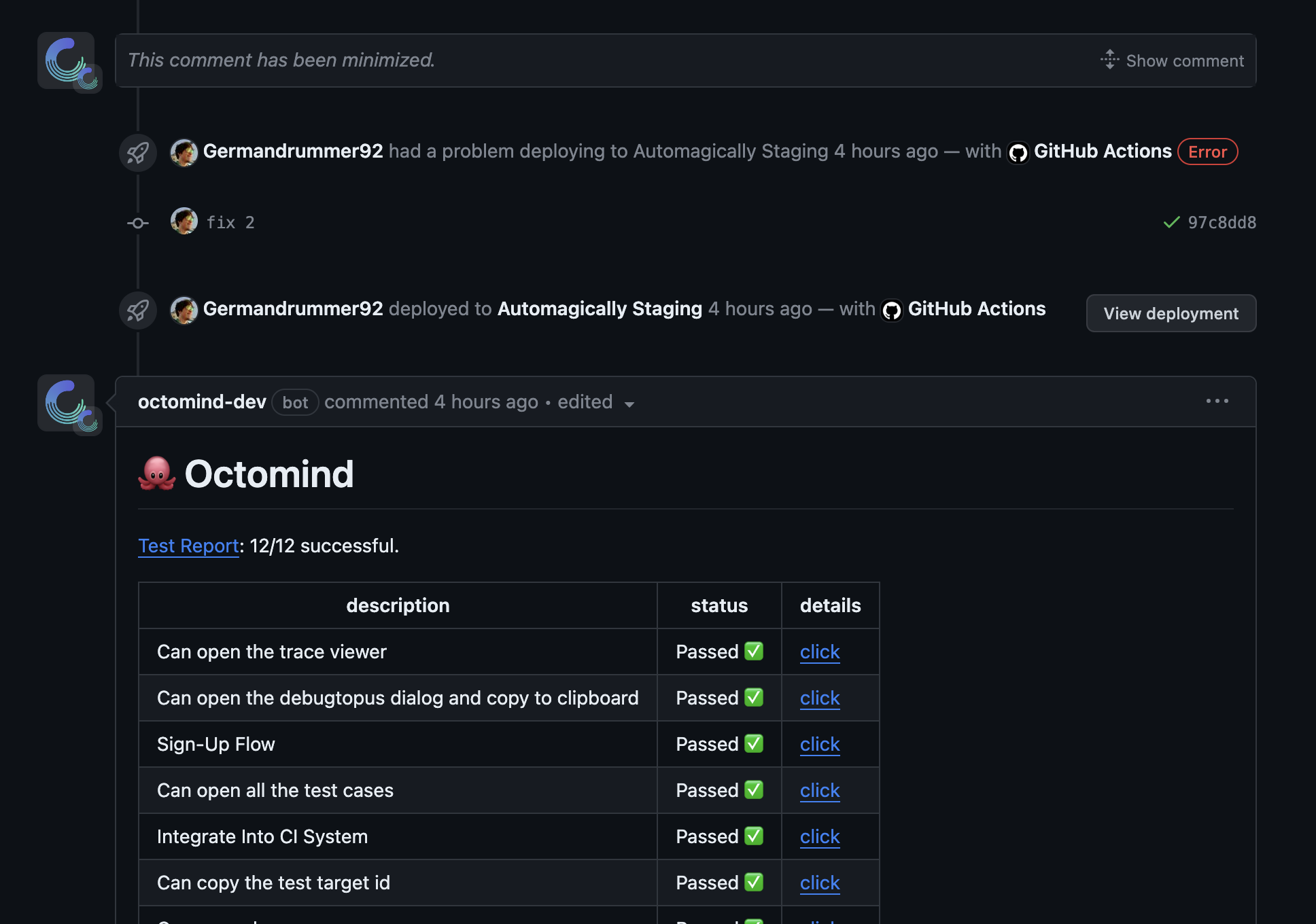
Previous comments in PR are collapsed, screenshot 11/2023
2023-10-17
Chain test casesfunctionality for new AI agent discoveries added to UIAI Agent: improved handling of blocking overlays- UI: improved UX when switching between test targets and organizations
- UI: progress bar for running test reports in project overview
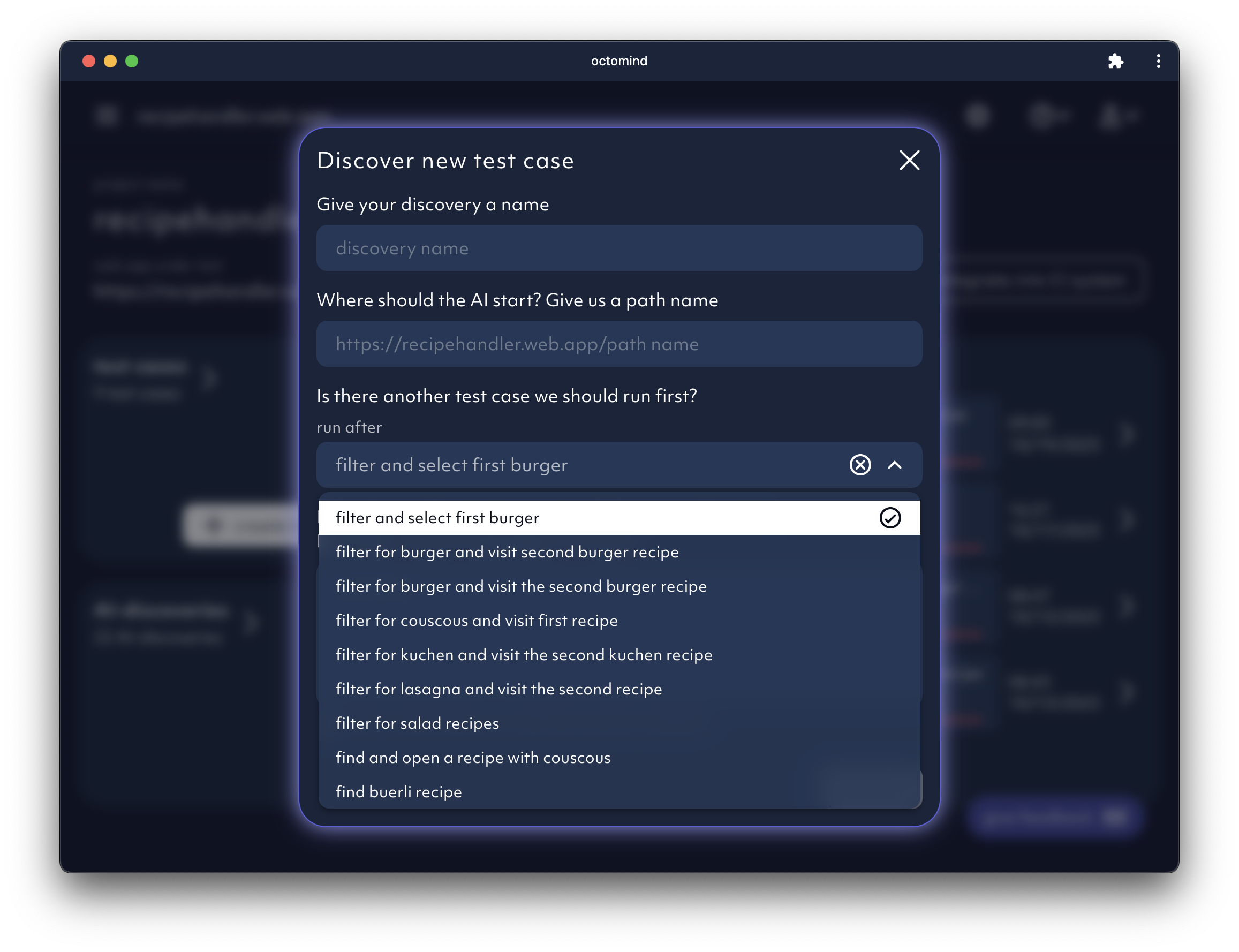
Test case chaining for AI test case discovery, screenshot 10/2023
2023-10-16
- Major
AI agentrevamp:- Improved page content understanding
- Fused element representation by forms
- Analytics added to embedding generation
- Welcome modal for new users
2023-10-10
- Instroduction of stable IDs for an improved AI discovery
Choose your first testsselection at set-up added- Improved manual triggering of test reports
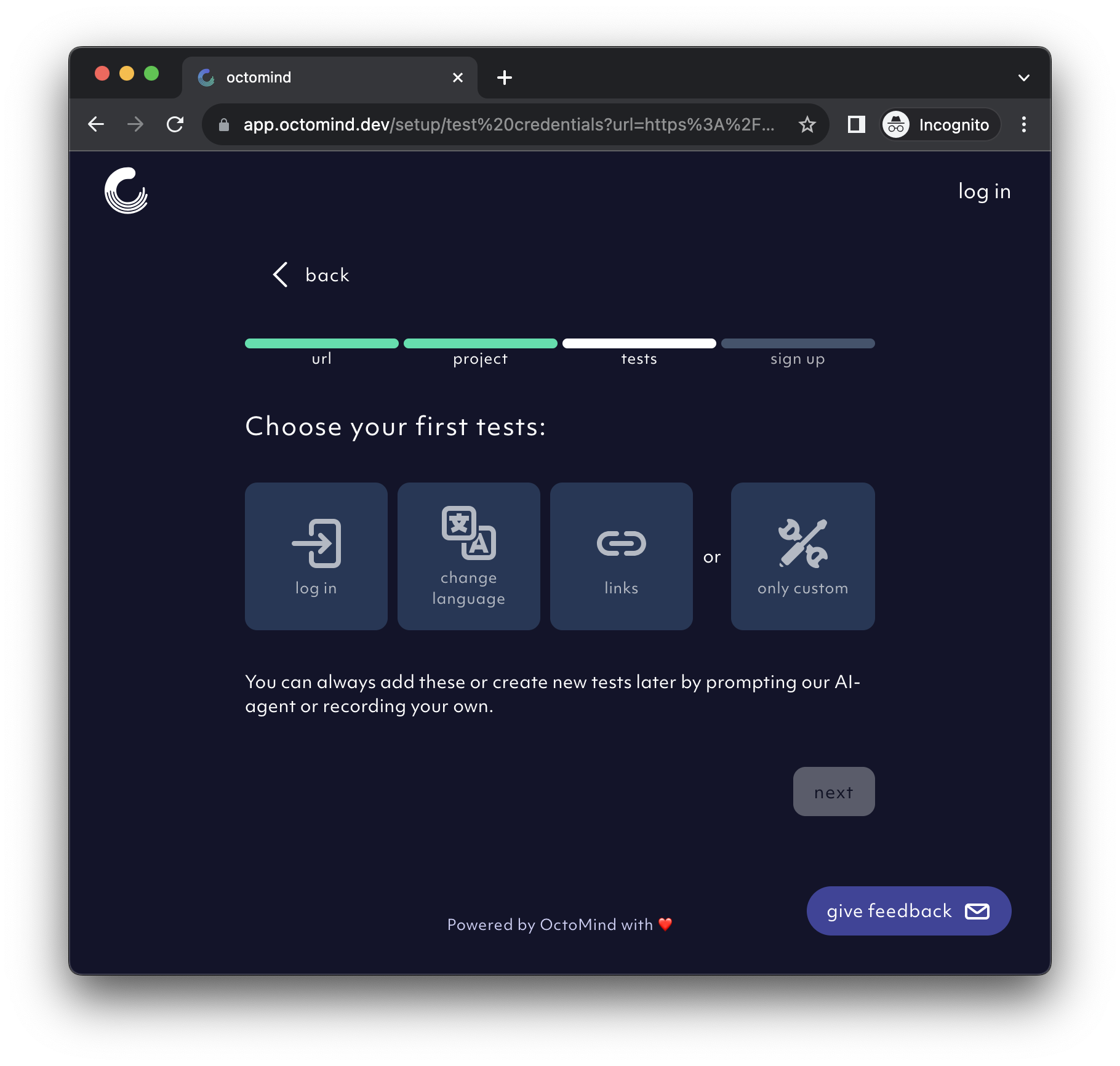
Choose your first tests option at set-up, screenshot 10/2023
2023-10-05
AI Agentand initial test generation upgrade - improved element visibility
2023-10-03
- Improved UX of the
overview pageand test report order at set-up
2023-09-26
Tooltipsadded to improve app onboarding experience- Test cases can be deleted now
Restart test reportfunctionality added- New feedback option added: Thumbs up/down of your onboarding experience
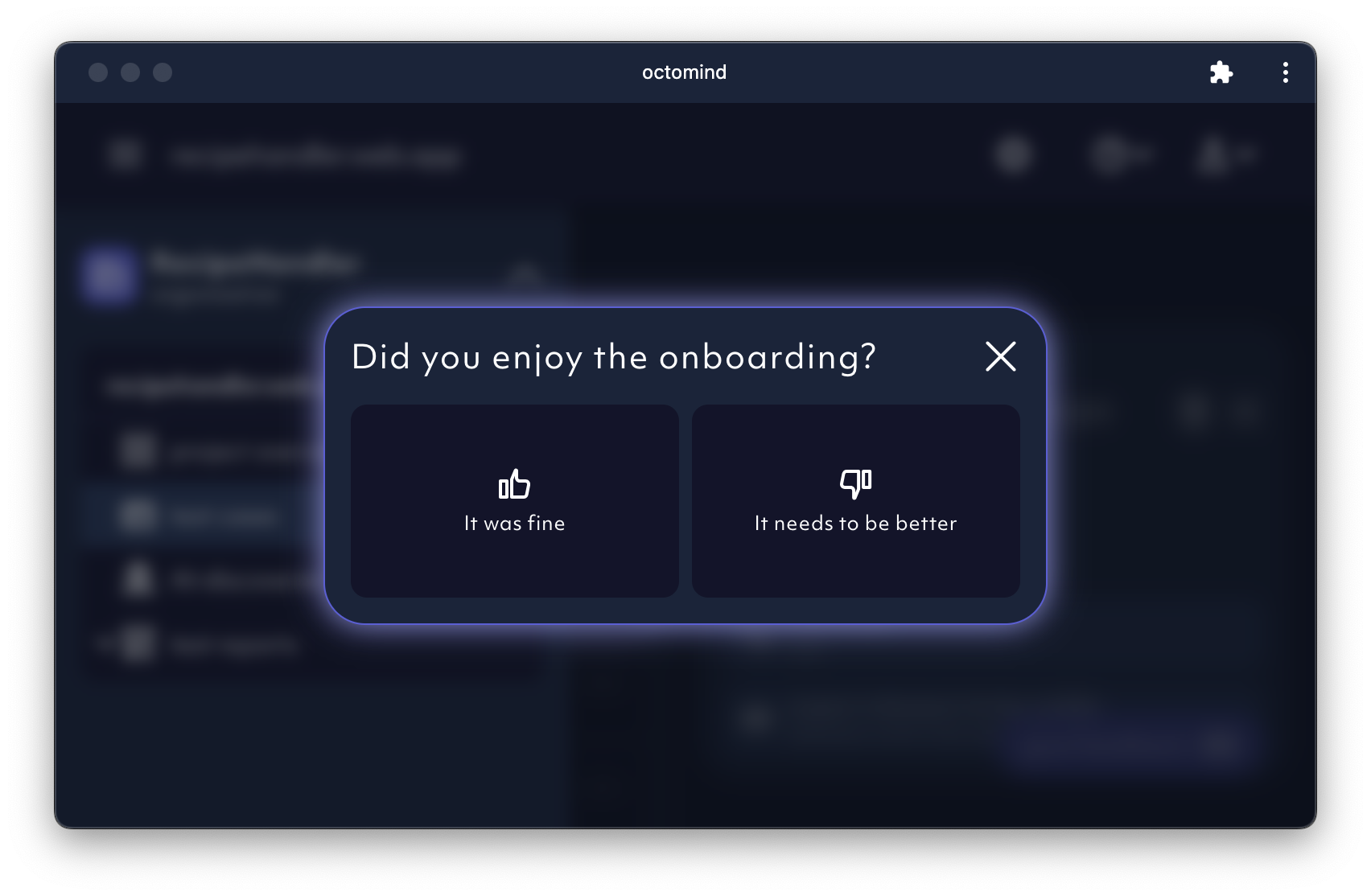
Onboarding feedback thumbs up/down, screenshot 10/2023
2023-09-20
UI Improvements:- Improve layout of overview grid and test report header on mobile
2023-09-19
Features:- Display error log for failed tests in the test result detail
- Responsiveness on mobile for snackbars
- Remove UI flashing on initial load
2023-09-18
Features:- You can now manually create a test case from a failed discovery. This is useful when the discovery failed, but the generated steps are still useful. An example would be when the agent can not verify the success of the task, but it actually succeeded. This is only available for new discoveries.
- Add modal allowing the user to give feedback to octomind
- Settings dialog looks better on mobile
- Recording upload is more intuitive
2023-09-14
Features:- Test case discoveries now have traces, so you can see what the agent did in the playwright trace viewer
- Planned steps within a test case are now expandable
- Introduce larger settings modal
2023-09-11
- Workaround for browser extensions that modify the html document and cause issues when displaying our page
2023-09-08
Follow linkstest case on initial set-up added- Sidebar navigation added
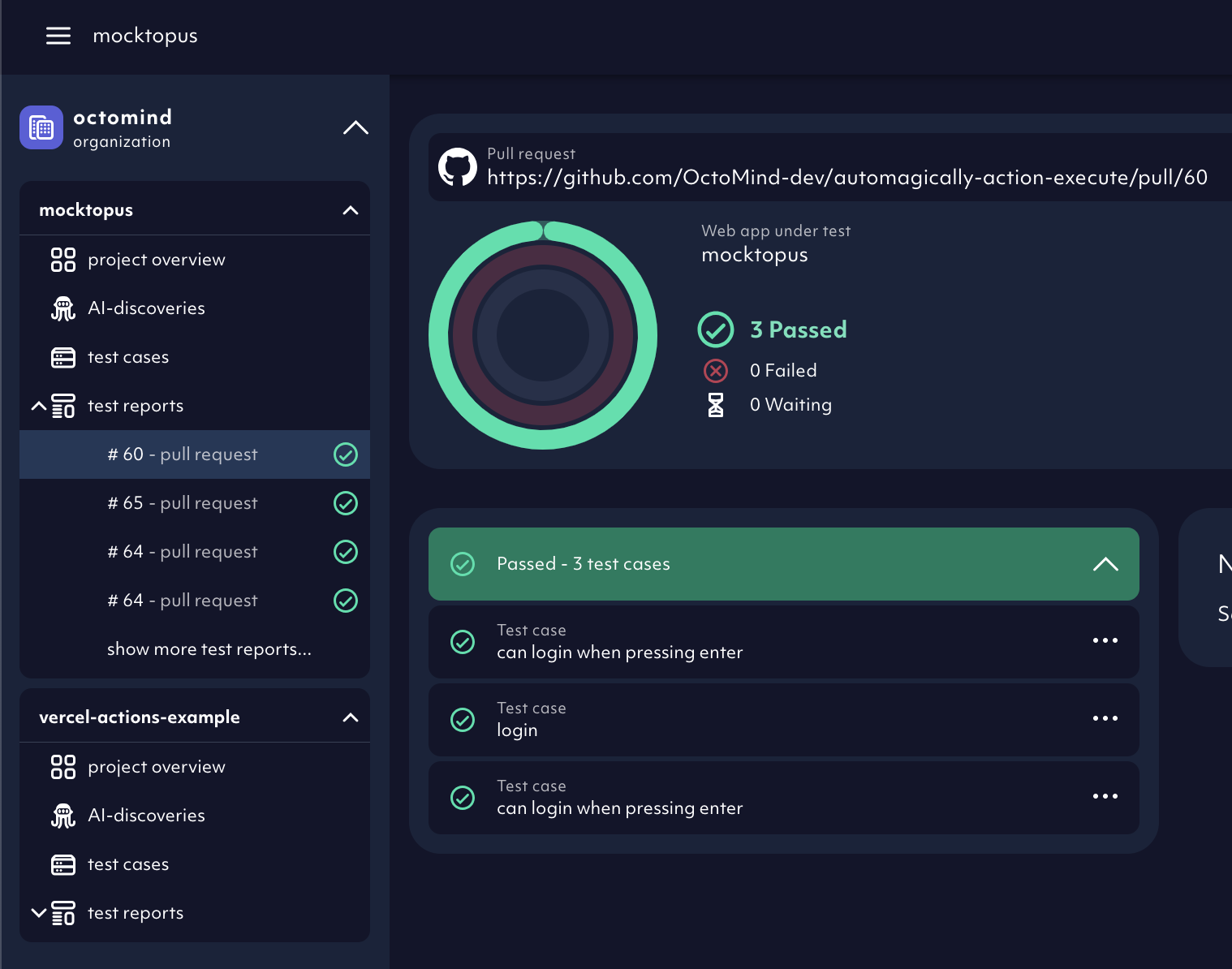
Sidebar navigation added to the UI, screenshot 09/2023
2023-08-28
- New test case on sign-up added:
Change language of the website - AI discovered test cases will now have an assertion generated (if possible)
2023-08-25
- Alpha release -
Test recorderas a non-AI option to generate new test cases - Security update
- AI agent upgrade - supported interactions, input error correction and analytics expanded
Give feedbackfunctionality added - schedule a feedback session with us directly from the app
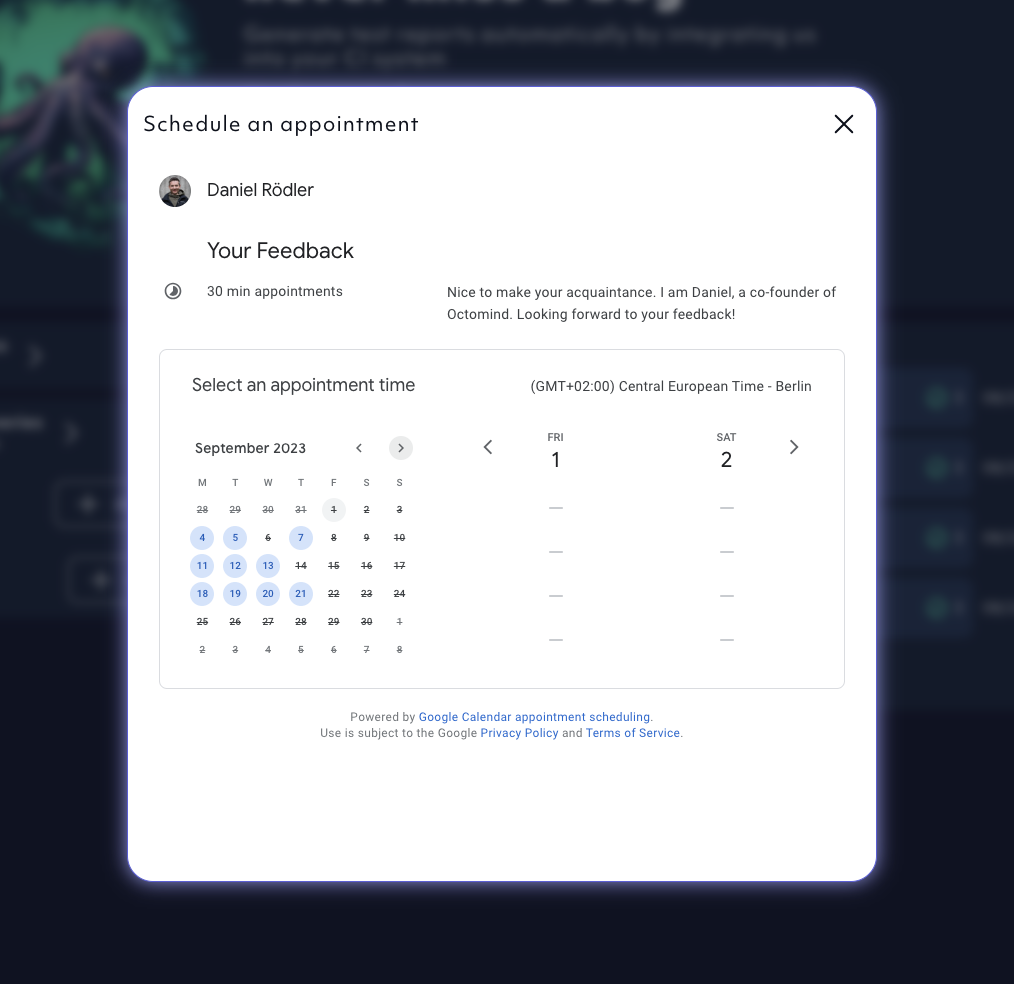
Scheduling feedback sessions directly from the app, screenshot 08/2023
2023-08-14
- Welcome page mobile view improved
- Test recorder supports iframes now
- Error states for failed discoveries streamlined
- Alpha release - free prompting interface for test case discovery:
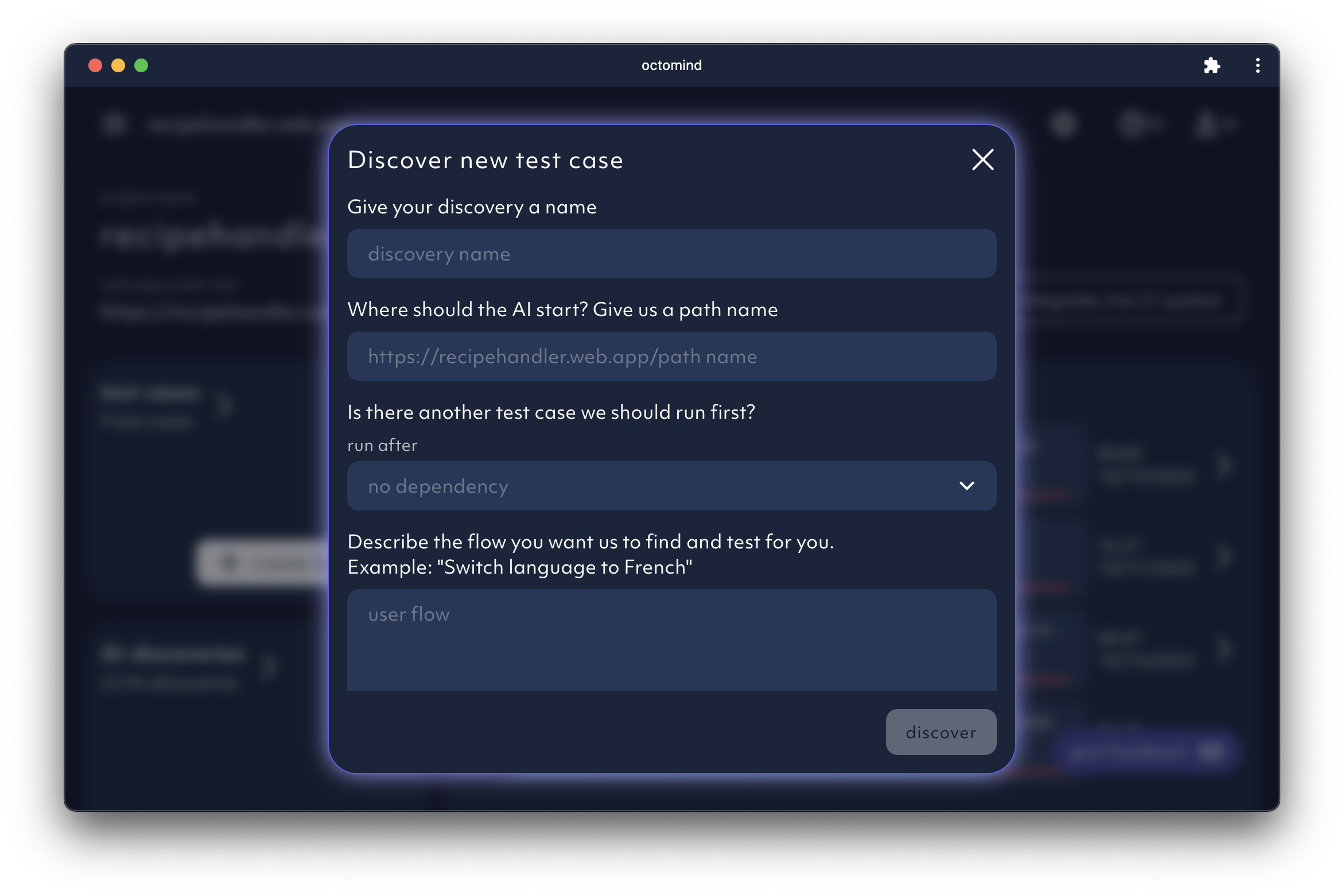
Free promting window for test case discovery, screenshot 08/2023
2023-08-10
- Captain Ink (AI agent) upgrade - page injection replaced navigating to a page for more stability and speed
- We introduced a basic test case available for everyone
- New welcome screen UX:
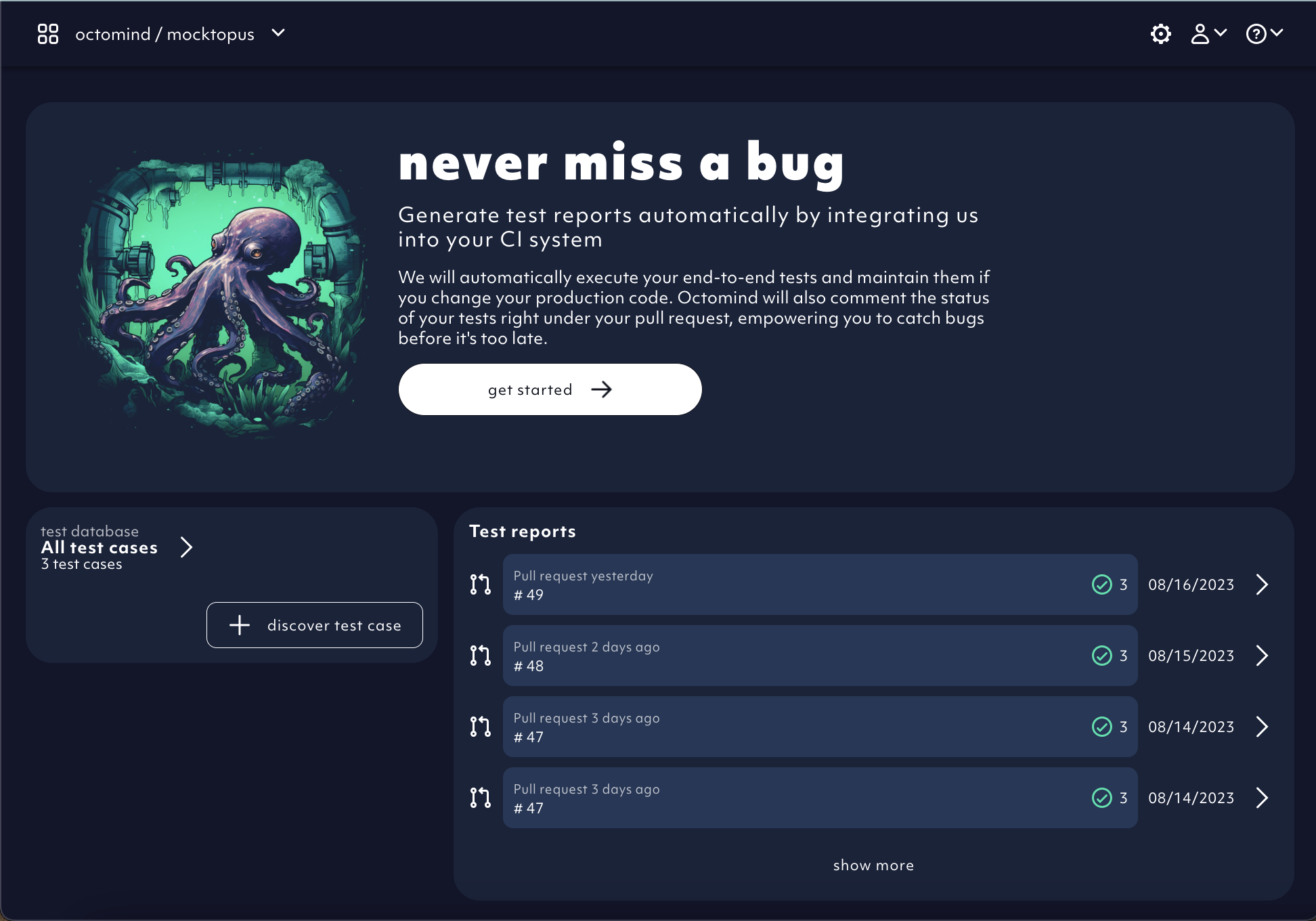
Example of the new Octomind app welcome screen, screenshot 08/2023
2023-08-09
- Interactible DIVs are correctly detected during discovery
- Display test failure reasons in test overview
2023-08-07
- Bug fix - errored display for empty list of test reports
- Cookie tracking removed from the app. We did’t like them anyways.
- Test database introduced - collection of test cases displayed on the app welcome page:

Example test cases displayed within a test database, screenshot 08/2023